When a development team says, "We have not enabled any more AI features," a manager should ask what happens to settings the team has never chosen. Leaving a feature unconfigured can have a different result from explicitly disabling it.
On October 22, 2026, GitHub announced that it had started gradually enforcing its global default policy for generally available (GA) Copilot features on Copilot Business and Copilot Enterprise. The rollout runs through October 26, with enterprises and organizations potentially receiving the change at different times. GitHub's enforcement announcement
The practical task is to obtain the settings actually in force, identify their owners, and decide which capabilities may be used for which work. This article reflects sources checked on October 23, 2026. Its operating example is hypothetical, not a report of an Enersys or customer deployment.
What changes when the default takes effect?
Eligible GA features left Unconfigured receive a setting based on the selected global policy. GitHub describes this as a one-time change: later edits to the default do not alter feature policies that have already been set. Administrators must inspect and change those individual policies when needed. Behavior described in the October 22 announcement
Explicitly enabled or disabled features retain their settings. Previews remain opt-in. A choice made during preview is preserved when the feature becomes GA; otherwise the default applies when it becomes eligible. This does not establish that every capability is now enabled at every company, or that any company has suffered a data leak.
The September 24 announcement opened a preparation period in which administrators could configure the policy without immediately changing access. October 22 marks the start of enforcement. Parts of the documentation still describe the preparation period, so read the latest announcement for rollout timing alongside the settings documentation.
Start with the enterprise, then inspect each organization
For this article, think of the enterprise as the central GitHub administration level and an organization as a unit that inherits policy or chooses settings within delegated authority. These levels need not match departments on the company organization chart.
An administrator should open AI Controls, select Copilot, and review Default policy for new features and the remaining unconfigured features. A single enterprise screenshot cannot stand in for every organization: delegation and local choices also determine the result.
GitHub's default availability documentation says the feature policy is enabled by default and describes these enterprise states. Settings screens may use shorter labels; record the actual label and effective outcome in the company's account.
| Enterprise state |
Outcome for eligible, unconfigured GA features |
| Enabled everywhere |
Enabled within the applicable Copilot scope; organizations cannot disable them |
| Disabled everywhere |
Disabled; organizations cannot enable them |
| Let organizations decide |
Each organization decides; its unconfigured features use the organization-level default |
These are policy outcomes, not proof that every user immediately sees every capability. Record the subscription, governing policy level, individual feature state, and access observed for an authorized user in that scope.
Under Let organizations decide, an internal systems organization and a client delivery organization can end up with different results. Keep an organization-by-organization record rather than a single statement that "the company uses Copilot Business."
Do MCP and code review belong in the review?
The documentation includes Copilot code review on the Agents page and MCP servers in Copilot on the MCP page alongside eligible Features & clients settings. Its exceptions include restrictive data residency or FedRAMP model policies on GHE.com and Store local sessions in the Cloud for Copilot CLI and VS Code. Documented scope and exceptions
MCP, or Model Context Protocol, is used to connect AI with tools and data sources. For this review, distinguish permission to use MCP in Copilot from the installation of a particular server, account authorization, account permissions, and exposed tools. Inclusion of an MCP policy in this rollout does not prove that any particular server has been installed or authorized.
Code review needs a similar boundary. Availability of an AI-assisted review capability should not be treated as approval to merge code into production. Specify who reads its findings, who approves a change, and which work still requires human review under the company's process.
An operating example with two organizations
Suppose a company has one GitHub organization for its internal ERP and another for customer projects. The enterprise owner delegates feature decisions to the organizations. The ERP team wants to evaluate code review; the customer project team needs to examine project conditions before allowing tools that connect to external data.
The manager's answer need not be a uniform on or off across the company. It should identify which capability is approved for which work and who made that decision. The following is a proposed allocation of responsibilities; use the company's actual roles and approval authority.
| Role in the example |
Work and evidence handed to the next decision maker |
| Enterprise owner |
Record the global default, explicit settings, delegated policies, and time of inspection |
| Organization owner |
Check local feature states and identify whether each result comes from an explicit choice or another policy level |
| Development lead and administrator |
Test access with an authorized account in a project without real customer data; record observations and limitations |
| Data and project contract owner |
Review permitted data types, proposed connections, and customer project conditions before approval |
| Company tool approver |
Confirm approved uses, reasons, items kept disabled, follow-up owners, and review dates |
For the ERP team, an initial code review evaluation might use a test pull request. A developer can compare suggestions with the code and record which recommendations were accepted or rejected and why. Acceptance criteria should relate to the work: the reviewer should be able to explain the problem a suggestion solves. Seeing the button appear is an access check, not an evaluation of its advice.
For customer work, the administrator might explicitly disable the relevant feature while an MCP connection awaits review. A later trial should name the server, connected account, accessible data, and permitted actions. Approval of a product name alone is too broad to define permission for a particular task.
These are proposed operating practices. They are not requirements GitHub imposes on every company, nor evidence that a feature meets a customer's project conditions.
What if access differs from the approved scope?
Record the prior settings, approved scope, and decision maker before testing. If a user gains a capability that has not been reviewed, or the two organizations behave differently from the intended design, inspect the relevant feature policy and the level enforcing it. Change the individual setting through the administrator with authority over that scope.
Do not assume switching off the global default will disable every feature already assigned a state during this rollout. The latest announcement says subsequent default changes do not alter policies already set. Restoring the approved scope therefore starts with the actual settings of the affected features.
If enterprise policy prevents the organization from making the needed change, send the evidence to the enterprise owner. While awaiting a decision, keep work moving through the company's already approved code review process or tools, with a named person responsible for the next step.
After a correction, repeat the access check using an account in the same scope. Retain the observed outcome and any effect on work. Disabling a feature changes access going forward. If data may already have been sent, examine the data path and evidence separately; a settings change does not establish that earlier data has been deleted.
Questions to answer before closing the review
Should a company that never configured Copilot disable everything?
First inspect the enterprise and organization defaults and unconfigured features. A company that approves new capabilities individually should align its settings with that process and inspect any features already assigned a state during the rollout.
Does changing the default complete a rollback?
That conclusion is not supported. The October 22 announcement says later default edits do not change already-set features. Inspect the individual policies that need correction and verify the result.
Does this policy select the AI model used in a session?
GitHub separates feature defaults from model availability policies. Permission to use a model is also separate from the model selected in a session. If model access needs review, track it as a separate task rather than treating this feature review as sufficient. GitHub's explanation of the two policies
What should a manager request as evidence?
Ask for the enterprises and organizations reviewed, actual states of important features, approvers and permitted uses, test results, pending decisions, and recheck dates. Include organizations where the rollout had not yet been observed at inspection time. The record should explain who authorized each capability and what evidence supports the observed result.
Related reading
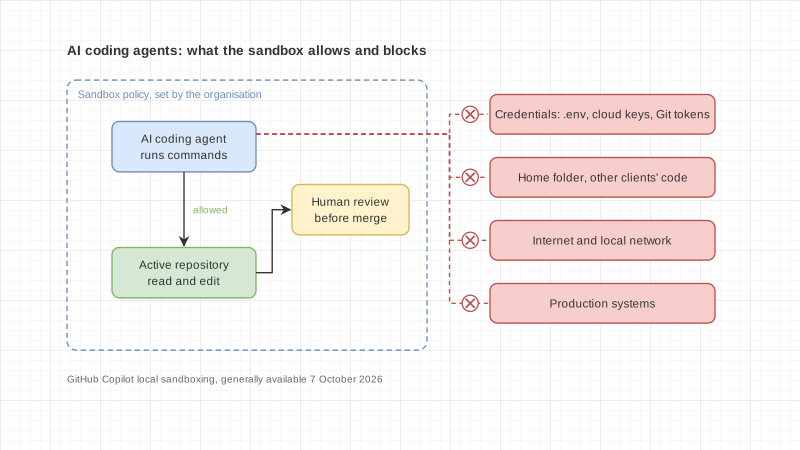
AI-generated illustration created for this article. It is a conceptual image, not a product screenshot or evidence of actual settings.