The Hidden Challenge Behind Bringing AI into the Enterprise
Most organizations that begin deploying AI in real operations encounter the same problem — connecting AI to existing systems is harder and more expensive than expected.
Imagine a simple scenario: an organization has 3 AI applications (such as Claude, ChatGPT, and Copilot) and 5 internal systems (such as ERP, CRM, HR, Accounting, and Inventory). If you build custom integrations between each AI and each system, you would need to create 3 x 5 = 15 connectors. Each one has its own logic, its own authentication, and must be maintained separately.
This is the N x M integration problem that causes many organizations to stall when trying to expand AI into additional systems, because the cost of building and maintaining connectors grows exponentially.
Model Context Protocol (MCP) addresses this problem directly — turning N x M into N + M. In the example above, that means reducing 15 integrations down to just 3 + 5 = 8, because every AI application speaks the same language, and every system exposes access through the same standard.
What Is MCP
MCP (Model Context Protocol) is an open protocol developed by Anthropic, the company behind Claude AI. It was released as open source in November 2024 and is designed to be a universal standard for connecting AI applications with data sources and tools.
The easiest way to understand it is by comparing it to USB-C. Before USB-C, each device brand had its own charging port—Samsung phones used Micro USB, iPhones used Lightning, laptops used barrel jacks. Every brand needed its own cable. Once USB-C became the standard, a single cable could work across devices.
MCP does the same thing for the world of AI — it is a single standard that enables any AI model to connect to any system without requiring custom code for every AI-system pair.
MCP Design Principles
- Open standard — Not tied to any specific vendor or AI model; anyone can implement it
- Simple yet extensible — The protocol starts simple but can be extended as needed
- Security-first — Designed to support granular control over data access permissions
- Transport-agnostic — Works both locally (stdio) and remotely (HTTP + Server-Sent Events)
MCP Architecture
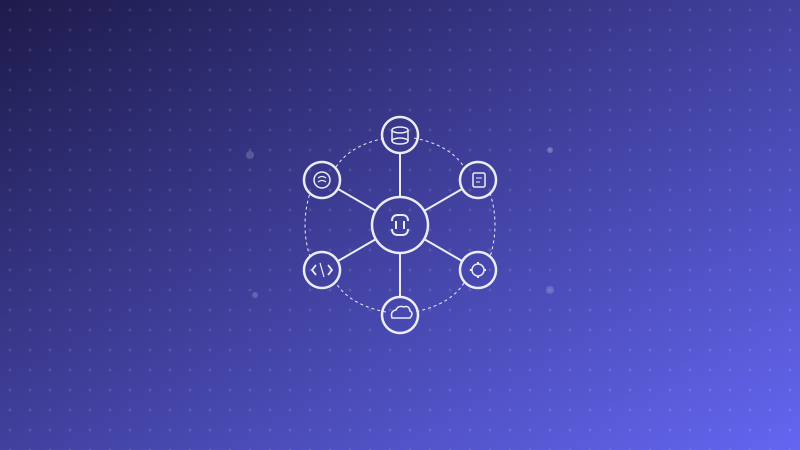
MCP follows a client-server model with three core components:
Host, Client, and Server
- Host — The AI application the user interacts with, such as Claude Desktop, Cursor IDE, or an enterprise AI agent. The Host creates and manages MCP clients
- Client — An intermediary inside the Host that communicates with an MCP Server. One client connects to one server in a 1:1 relationship
- Server — A program that connects to the target system (such as a database, API, or file system) and exposes it to AI through the MCP protocol
When the Host needs data or wants to perform an action in an external system, it sends the request through the Client to the relevant Server, and the Server handles communication with the target system.
What an MCP Server Exposes to AI
An MCP Server can expose three main types of capabilities to AI:
Resources — Data AI can read
Resources are information sources that AI can use to answer questions or make decisions, such as:
- Documents in the system (PDF, Word, Excel)
- Data from databases (product catalogs, customer history, sales figures)
- Results from external APIs (exchange rates, shipping status)
- Log files and monitoring data
Tools — Actions AI can invoke
Tools are actions that AI can ask the system to perform, subject to user authorization, such as:
- Create a new ticket in a helpdesk system
- Send an email or notification
- Update data in a CRM
- Create a Purchase Order in an ERP
- Deploy code or trigger a CI/CD pipeline
Prompts — Templates for recurring tasks
Prompts are predefined templates for frequently repeated work, such as:
- Templates for summarizing weekly sales reports
- Templates for responding to customer questions by issue type
- Templates for reviewing code based on company standards
This three-part model allows organizations to precisely control what AI can access — for example, allowing it to read data without modifying it, or permitting only specific actions.
Why MCP Matters for Thai Enterprises
1. It Significantly Reduces Integration Costs
Most Thai enterprises use multiple systems at once — Odoo ERP, Salesforce CRM, LINE OA, internal HR systems, accounting platforms. Building custom integrations for every system pair takes substantial time and budget. MCP greatly reduces the number of integrations required, and more importantly, reduces the maintenance burden. When one system is updated, only that system’s MCP server needs to be changed—not every connector attached to it.
2. It Avoids Lock-In to a Single AI Vendor
Because MCP is an open protocol, organizations can switch AI models or AI platforms without rebuilding all integrations from scratch. An MCP server built for an ERP system remains usable whether you move from Claude to GPT or from GPT to Gemini. This is a critical strategic advantage, because the AI market is evolving rapidly and organizations should not lock themselves into a single vendor.
3. It Is More Secure Than Letting AI Call APIs Directly
Allowing AI models to call internal system APIs directly creates several risks—from API key management to prompt injection attacks that may cause AI to perform unauthorized actions. MCP is designed with a security layer between the AI and the target system. The MCP server acts as a gatekeeper, validating every request before forwarding it to the live system.
4. Governance — Control What AI Can Access
For organizations in heavily regulated industries such as finance, healthcare, or energy, controlling exactly what data AI can access is non-negotiable. MCP enables fine-grained permission management—for example, allowing one AI agent to read customer data but not edit it, or create purchase orders but not approve them. All of this can be controlled at the MCP server level without modifying the AI model itself.
Who Is Already Using MCP
Although MCP was only launched in late 2024, its ecosystem has grown impressively fast:
- Anthropic Claude — Claude Desktop and Claude.ai fully support MCP. Users can connect Claude to file systems, databases, or any API through MCP servers
- Cursor — A popular AI-powered IDE for developers that supports MCP, enabling AI assistants to access codebases, documentation, and development tools
- Sourcegraph — A code intelligence platform that provides an MCP server for searching and analyzing code across repositories
- Replit — An online software development platform that integrates MCP with AI coding agents
- GitHub — Offers MCP servers for repository management, pull requests, and issues
There are also hundreds of community-built MCP servers for widely used systems such as Slack, Notion, Google Drive, PostgreSQL, MongoDB, Jira, Linear, and many more. The MCP server registry already includes more than 1,000 servers.
Example Use Cases in Thai Enterprises
To make this more concrete, here are some examples of how MCP can be used in Thai business environments:
AI Agent Connected to Odoo ERP via MCP
Suppose a manufacturing company uses Odoo as its core ERP. It can build an MCP server for Odoo that allows an AI agent to do the following:
- Read inventory data — AI can instantly answer the sales team on which products are available for delivery, without anyone having to check Odoo manually
- Create Purchase Orders — When inventory drops below a defined threshold, AI creates a PO draft for manager approval
- Send notifications via LINE — Connect another MCP server to the LINE Messaging API to alert the relevant teams
All of this can work through What Is Agentic AI, which can plan, decide, and take action across systems, with MCP acting as the protocol that ties everything together.
AI for Customer Service Teams
- Connect an MCP server to the ticketing system to retrieve customer ticket history
- Connect to the internal knowledge base to find answers
- Draft responses for staff to review before sending
- Automatically log interaction history back into the CRM
AI for Finance Teams
- Read data from accounting systems to generate monthly summary reports
- Detect anomalies in transaction data
- Create invoice drafts from purchase order information
- Alert teams when payments are overdue
How Organizations Can Get Started
For organizations interested in adopting MCP, the following phased approach is recommended:
Step 1 — Audit Existing Systems
Create an inventory of all systems used across the organization, and identify which systems offer APIs and what data should be accessible to AI.
Step 2 — Use Existing MCP Servers Where Available
Check whether the systems you already use have ready-made MCP servers. Popular systems such as PostgreSQL, Google Workspace, Slack, GitHub, and Notion already have MCP servers available. Using existing servers can significantly reduce implementation time and cost.
Step 3 — Build Custom MCP Servers for Internal Systems
For internal systems without ready-made MCP servers, you can build your own. Anthropic provides SDKs for multiple programming languages, including Python, TypeScript, Java, Kotlin, and C#, among others. Building an MCP server for a system that already exposes REST APIs is not overly complex, because the MCP server essentially acts as a wrapper that converts the existing API into MCP format.
Step 4 — Connect to an AI Platform
Choose an AI platform that supports MCP, connect all MCP servers, define appropriate access permissions, test the workflows, and then gradually roll them out to user groups in stages.
MCP and the Future of Enterprise AI
MCP is not just a temporary technology trend — it represents a structural shift in how AI works with enterprise systems. Once a universal standard exists, several things follow:
- Software vendors will begin making MCP servers a standard feature — just as software today is expected to provide REST APIs, MCP servers will eventually become table stakes
- AI agents will work seamlessly across systems instead of being limited to a single platform
- Organizations will be able to compose their own AI workflows without needing developers at every step
Conclusion
MCP changes the game for enterprise AI adoption. Instead of building one-off custom integrations with no standardization and high maintenance overhead, organizations can move to an open protocol where every AI and every system speaks the same language. For Thai enterprises planning to put AI into real business use, MCP is an infrastructure layer worth investing in today—because the earlier you start, the stronger your advantage in scaling AI across the organization.
Enersys’s Genesis AI Platform fully supports MCP. Whether your organization uses ERP, CRM, or any internal system, it can connect to AI agents through MCP immediately. If you would like to discuss adopting MCP and AI in your organization, contact Enersys to speak with our expert team.