AI & Technology

Salesforce Just Killed Its Own Browser — Headless 360 Turns Every Feature Into API/MCP/CLI for AI Agents (Biggest Architecture Shift in 27 Years)

On April 15, 2026 at TDX, Salesforce announced Headless 360 — the entire CRM exposed as API + MCP + CLI for Claude Code, Cursor, Codex, and Windsurf to access directly. 60+ MCP tools and 30+ coding skills shipped on day one. Here's what it means for the CRM/ERP industry, and why open-source players like Odoo are quietly winning.

21 Apr 202612 min
SalesforceHeadless 360MCPAI AgentsEnterprise SaaSPlatform ArchitectureAgentforce

TL;DR

On April 15, 2026, at TDX 2026 in San Francisco, Marc Benioff and the Salesforce team announced what the company itself called

"the most ambitious architectural transformation in our 27-year history."

The name: Headless 360.

The shape of it, in three lines:

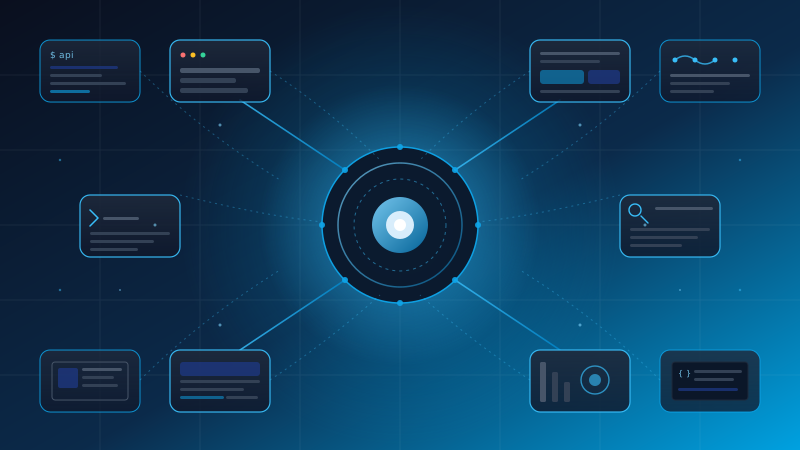
  • Every Salesforce platform capability is now exposed as an API, MCP tool, or CLI command
  • AI agents can work with Salesforce without ever opening a browser
  • The customer experience can show up anywhere — Slack, Microsoft Teams, ChatGPT, Claude, Gemini, mobile

Day one ships with 100+ tools and skills, including 60+ MCP servers, 30+ preconfigured coding skills, and Agent Script (a new DSL that's now open-sourced).

For non-Salesforce shops, this still matters. It's the clearest signal yet that enterprise SaaS is changing shape, and the teams that adapt early will win the next contract.


The day Salesforce killed its own browser

Twenty-seven years ago, Salesforce was born from one simple idea: software shouldn't live on your machine. It should live in the browser.

"No Software" became a slogan, then a culture, then a $250B market cap, then the world's #1 CRM.

Then on April 15, 2026, Salesforce stood up at TDX and basically announced:

"The Salesforce UI is now optional."

It sounds contradictory at first. Why would the company that built a brand on browser-first software walk away from it?

The answer isn't that Salesforce is being reckless or pivoting at random.

The answer is one uncomfortable truth: enterprise users don't live inside the Salesforce UI anymore.

They live in Slack. In Microsoft Teams. In ChatGPT. In Claude.

And more importantly — the AI agents that are starting to do their work don't have a browser to begin with.

This is the moment Salesforce decided to stop fighting the current and start steering it.


Headless 360, in three lines

Simplest possible framing:

  1. CRM, marketing cloud, ecommerce, service cloud — every Salesforce surface is now an API + MCP tool + CLI command
  2. AI agents like Claude Code, Cursor, Codex, and Windsurf can hit Salesforce data and workflows directly, no browser involved
  3. Customer experience can render on Slack, mobile, Teams, ChatGPT, Claude, Gemini, or any MCP-compatible client

What's beautiful here isn't that any of this is technically possible. Salesforce APIs have existed for years.

What's new is that it's complete, opinionated, day-one shipped, and aimed squarely at the AI agent generation that's about to dominate.

That's the difference between "having an API" and "being an API platform."


Why now — beyond the AI hype

On the surface this looks like Salesforce chasing the agent moment. But there are at least four structural reasons it had to happen.

1. Users aren't in Salesforce anymore

Sales reps live in Slack all day. Customer success lives in Zendesk. Marketing lives in Notion.

"Going into Salesforce" became a context switch everyone tried to avoid.

If Salesforce doesn't show up where the user already is, the user starts looking for a CRM that does.

2. AI agents need structured access, not screen scraping

If you point Claude Agent at Salesforce through a browser, it's:

  • Slow
  • Brittle every time the UI changes
  • Not scalable
  • Likely to misread context

Through an MCP tool, the agent understands the schema, the relationships, the permissions — in one prompt.

3. Browser UI is a bottleneck in the agentic era

If 30% of work in the near future gets done by agents (and likely 50% within five years), a UI designed for humans clicking is just overhead.

4. Competitors are closing in

Microsoft Copilot Studio + Dynamics 365 has real momentum. ServiceNow's Now Assist is eating into enterprise workflow share.

If Salesforce hadn't moved first, it would have started looking like legacy in the eyes of AI-native CIOs.


Three things developers actually need to know

1. 60+ MCP tools — Claude Code, Cursor, Codex, Windsurf get direct access

This is the part developers got most excited about.

Open Claude Code, install the Salesforce MCP servers, and type:

"Look at my Salesforce pipeline and put together a deck comparing Q1 vs Q2."

The agent will:

  1. Query the Opportunity object
  2. Aggregate by stage
  3. Compare periods
  4. Generate the slides

All in one conversation. No opening Salesforce. No CSV export. No hand-written SOQL.

Critically, MCP support spans Claude Code, Cursor, Codex, Windsurf, and any MCP-compatible client — so developers don't get locked into one vendor.

2. Agentforce Experience Layer — UI that renders across surfaces

This is the smartest piece, in my read.

The core idea: separate "what an agent does" from "how it appears."

Developers define the agent behavior once, then Salesforce renders rich interactive components across:

  • Slack
  • Mobile apps
  • Microsoft Teams
  • ChatGPT
  • Claude
  • Gemini
  • Any MCP-compatible client

That cuts development time from months (building six different UIs) to a single definition.

The deeper philosophy: push the agent experience into the customer's workspace, instead of dragging the customer into the Salesforce UI.

That's a paradigm flip, not a feature.

3. Agent Script — open-source DSL for deterministic agents

The piece most people overlook, but it matters.

Agent Script is a new domain-specific language for defining agent behavior in a deterministic way.

Why deterministic? Because in the enterprise, an agent that "does it this way today, maybe a different way tomorrow" doesn't pass compliance, doesn't pass audit, doesn't pass risk review.

Agent Script lets developers:

  • Define predictable flows
  • Test them
  • Audit them
  • Reproduce them

And the kicker — it's open-sourced, generally available. Anyone can implement their own runtime.

That's a clear signal Salesforce is trying to make Agent Script an industry standard rather than another proprietary lock-in.
The free tier that turned heads

The piece that lit up developer Twitter.

Every Salesforce Developer Edition org now gets these for free:

  • Agentforce Vibes IDE — a browser-based VS Code environment
  • Agentforce Vibes — a coding agent with Claude Sonnet 4.5 as the default model
  • Salesforce Hosted MCP Servers — no self-hosting required

For comparison:

  • Microsoft offers GitHub Copilot free (with limits) but no bundled cloud workspace
  • Oracle has APEX but nothing close to this AI coding tier
  • SAP has BTP but a much narrower agent tier

Salesforce is using the free tier as a weapon — pulling developers into its ecosystem before they get comfortable somewhere else.

This is the same playbook Microsoft used to make VS Code dominant. It worked then. It'll work again.


AgentExchange — Salesforce's new app store

An underrated announcement.

AgentExchange is the new marketplace pulling together:

  • 10,000 Salesforce apps from the legacy AppExchange
  • 2,600+ Slack apps
  • 1,000+ Agentforce agents, tools, and MCP servers from partners

Roughly 13,600 components, AI-searchable, one-click activation.

There's also a $50 million Builders Fund for Agentblazers — Salesforce's name for its builder community — who scale agents in production.

Why this matters more than it sounds:

Ecosystem lock-in is way stickier than UI lock-in.

A customer can switch CRMs if they're only attached to a UI. But if they have 50 agents, 200 integrations, and 10 partner apps tied together — switching becomes too painful to consider.

Salesforce knows this, and it's reinforcing a new moat through AgentExchange.


Industry impact

For Salesforce customers

  • Better ROI — automation through agents doesn't have to be hand-built; pull from the marketplace
  • Less screen time — staff focus on real work instead of clicking through forms
  • Integration cost drops sharply — the MCP standard makes connecting other systems dramatically easier

For competing CRMs (HubSpot, Microsoft Dynamics, Pipedrive)

  • They need MCP support within the year
  • HubSpot has the hardest road — smaller developer ecosystem
  • Microsoft has Copilot Studio + Dynamics, but Salesforce's headless approach goes deeper. Microsoft is still UI-first
  • Pipedrive will survive in the SME segment where AI agents aren't yet critical, but they need a plan for what comes next

For ERPs (SAP, Oracle, Odoo)

This is the most interesting part for us.

  • SAP is moving (Joule Studio) but proprietary and slow
  • Oracle has Fusion AI Apps but it's a closed garden
  • Odoo, as an open-source ERP, has a real structural advantage — anyone can write the MCP wrapper, no vendor permission needed

The headless trend won't stop at CRM. It's coming for ERP, marketing, ecommerce, helpdesk — everything.

For software houses

  • New market: Salesforce Headless integration consulting
  • New skills to learn: MCP development, Agent Script, multi-surface UX
  • The shops that adapt fastest land the contracts first

Predictions: 18 months out

A few calls I'd put down for end of 2027:

  1. Every major SaaS will ship MCP tools. HubSpot, Notion, Atlassian, Zoom — some within six months
  2. Designers will start designing "experiences," not "pages." Things that render across multiple surfaces, not single web pages
  3. App marketplaces become agent marketplaces. Shopify, WordPress, AppExchange — all of them add an agent category
  4. Browser-based admin tools shrink by ~50% in specific workflows: CRM data entry, marketing campaign setup, ticket triage
  5. Vendor lock-in changes form — from UI lock-in to API ecosystem lock-in (which is much stickier)

Anyone not preparing for this will wake up one morning and find their stack already feels dated, without anything visible having broken.


A note from the Enersys team

As a software house focused on Odoo, we've been watching this trend closely.

Three observations from where we sit:

  1. Open-source is an advantage in the headless era. Odoo, being open-source, can ship its own MCP wrappers without waiting for a vendor to decide
  2. Bridging enterprise data with AI agents is the real work. The job ahead for software houses is connecting customer ERP/CRM systems to agents (Claude, GPT, Gemini) safely, without breaking PDPA-style data rules
  3. Deterministic agents are the differentiator. Random-output agents don't fly in enterprise. Designing predictable flows is exactly the skill Asian customers will need most over the next 18 months

We have several active projects exploring the same direction Salesforce just announced — but at the ERP, accounting, and internal workflow layer for Thai enterprises.

If you're thinking about AI agent integration with your ERP/CRM, we'd be happy to talk.


Wrap-up

Headless 360 isn't just a feature drop. It's an official acknowledgement that the era of "open the browser to do work" is ending.

When the company that defined SaaS-first decides UI is now optional, that's the whole industry pivoting in the same direction.

Three things to take away:

  1. API + MCP + CLI is the new shape of enterprise software — not just at Salesforce
  2. A generous free tier is a weapon. Salesforce is using it to pull developers in before competitors can react
  3. Open-source has the edge right now. Anyone can ship an MCP wrapper without vendor permission

2026 is the year every CIO has to answer: "Is our stack ready for AI agents?"

If the answer is "not yet" — start now. Just don't wait until next year.


Sources

"Empowering Innovation,
Transforming Futures."

ติดต่อเราเพื่อทำให้โปรเจกต์ของคุณเป็นจริง