Quick Summary
There's a dangerous belief in software engineering: "The old system is terrible. Let's just rewrite everything from scratch."
This belief has killed more projects than anyone cares to count. Netscape rewrote their browser from zero and lost market dominance forever. Fortune 500 companies have poured hundreds of millions into rewrites that never shipped.
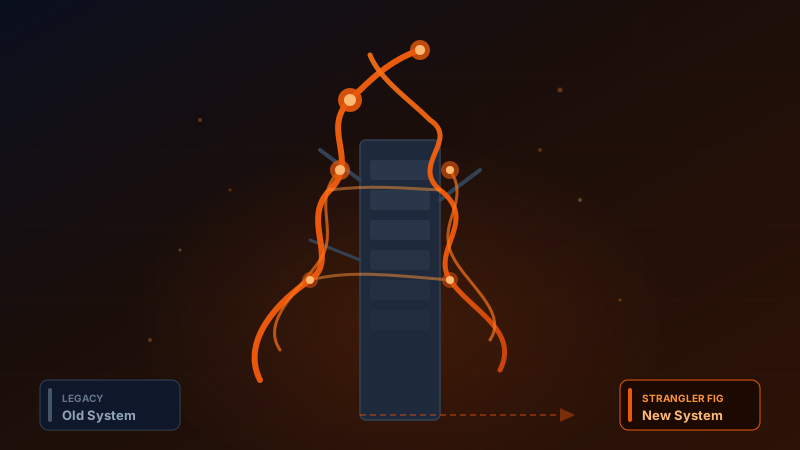
But nature has a better approach. In tropical rainforests across Southeast Asia, Australia, and Central America, there's a tree called the Strangler Fig that slowly grows around its host, absorbing nutrients, spreading its canopy, until one day the original tree is gone — and the forest never noticed.
This article walks you through the Strangler Fig Pattern from first principles to real-world case studies. You'll see how Discord, Cloudflare, Dropbox, Hugging Face, and npm used this approach to migrate from Python (and other languages) to Rust — achieving 10x latency reductions, 70% CPU savings, and millions in annual cost savings.
Introduction: Why You Shouldn't Rewrite Everything at Once
Let me start with something every veteran software engineer understands.
Legacy systems are frustrating. Code written five years ago with no tests, no docs, by people who've long since left. Libraries that aren't maintained anymore. Bugs that make no sense. Everyone wants to throw it away and start fresh.
But "starting fresh" has a price tag that's almost always higher than anyone expects.
The problems with Big-Bang Rewrites:
- They always take longer than estimated — That "simple CRUD" system usually has hundreds of hidden business rules and edge cases nobody remembers.
- The old system doesn't stop changing — While one team builds the new system, the other keeps fixing bugs and adding features. The target keeps moving.
- No incremental value — Customers get nothing until the entire rewrite ships. Which might be 2-3 years. If it ever finishes.
- Massive risk at switchover — The day you flip, everything might break.
- Lost domain knowledge — That weird if-else branch? It handles an edge case a major customer complained about three years ago. Rewrite from scratch, and that knowledge disappears.
Joel Spolsky once wrote: "The single worst strategic mistake that any software company can make: rewrite from scratch."
So what's the alternative?
What is the Strangler Fig — A Tree That Teaches Migration
In tropical rainforests, there's a genus of Ficus trees with a remarkable survival strategy.
It starts as a tiny seed dropped by a bird onto the branch of another tree. It sends roots down along the host trunk, wrapping around it, growing, spreading its canopy to capture sunlight, absorbing water and nutrients. Eventually the host tree dies and decays, leaving only the Strangler Fig standing in its place — while the surrounding forest ecosystem barely noticed any change.
Martin Fowler borrowed this metaphor for software system migration, and Microsoft documented the pattern in detail at the Azure Architecture Center (diagram credit: Microsoft Azure Architecture Center).
The principle is straightforward:
- Don't tear down the old system immediately — let it keep running
- Build the new system growing around the old one — module by module, feature by feature
- Gradually redirect traffic — from old to new
- When everything has moved — decommission the old system
Sounds simple. But as always, the devil is in the details.
The 4 Phases of the Strangler Fig Pattern
According to Microsoft Azure Architecture Center, there are four main phases:
Phase 1: Introduce a Facade (Proxy)
Place a facade or proxy layer between clients and the legacy system. Every request passes through it. Initially, the facade just forwards everything to the legacy system as-is — nothing changes. But it gives you the ability to "switch" where requests go without clients knowing. Think of NGINX or an API Gateway routing /api/products to the new system while /api/orders still goes to the old one.
Phase 2: Incremental Shift
Start migrating module by module. Pick self-contained modules with clear pain points and high business value first. Build, test, canary-route traffic, then move to the next module.
Phase 3: Decommission Legacy
Once all functionality has moved, the old system receives no traffic. Before decommissioning, verify all data is migrated, no processes secretly call the old system, and you have a rollback plan.
Phase 4: Remove the Facade
Once the old system is gone, the facade is no longer necessary. This step is optional — many teams keep their API Gateway permanently for rate limiting, logging, and authentication.
Key Considerations
Microsoft Azure Architecture Center highlights several things to watch out for:
- Shared data stores — Old and new systems might share a database. Handle data consistency carefully.
- The facade must not become a bottleneck — If the facade is slow or crashes, both systems go down. Design it to be fault-tolerant.
- Design new apps for easy interception — The new system's structure should make it easy to add or swap modules.
When to Use It — and When Not To
Use it when: the system is too large for a full rewrite, you need gradual migration, downtime isn't an option, or you need to prove ROI along the way.
Don't use it when: the system is small enough to replace entirely, you can't intercept requests (no API, no HTTP), you must decommission fast, or the old system isn't actually broken.
Case Study 1: Java Monolith to Spring Boot Microservices
Before we get to the Python-to-Rust story, I want to show a case study that demonstrates the Strangler Fig Pattern works across any technology stack.
Published on Medium by Raghavender Badam, the team needed to migrate a Java monolith using Spring MVC with a single MySQL database to Spring Boot microservices.
Legacy: Spring MVC monolith, single MySQL, tightly coupled. New: Spring Boot microservices, Spring Cloud Gateway as facade, PostgreSQL per service, RabbitMQ + Kafka.
Migration sequence: Fraud detection (most self-contained, high value) first, then user authentication, transaction processing, and notification system last.
Tools: Feature flags (LaunchDarkly), blue-green deployments, Kubernetes, Prometheus + Grafana.
Results: 99.9% uptime across 2 years of migration, 40% faster feature releases, 50% cost reduction through containerization.
Credit: Strangler Fig Pattern to migrate from a monolithic Java application to Spring Boot microservices
Case Study 2: PHP Laminas Migration
Another solid example comes from the Laminas Project (formerly Zend Framework), which published a 6-step Strangler Fig guide for PHP migrations.
The 6 steps: Isolate functionality, build replacement, route interception, test and monitor, repeat, retire legacy.
E-commerce example: The team migrated endpoints from lowest to highest risk: /products (read-only) first, then /cart, /checkout (money involved), and /account (user data, privacy) last.
Why not a full rewrite? Loss of undocumented domain logic, prohibitive cost, high failure rate, and stakeholder resistance. Most rewrite projects simply don't finish on plan.
Credit: Strangler Fig Pattern — Laminas Blog
Case Study 3: Python to Rust — The Main Event
If the previous case studies were the warm-up, this is the main event.
Over the past 3-4 years, a remarkable trend has emerged in the tech industry: world-class companies migrating systems from Python (and other high-level languages) to Rust — not because of hype, but because the numbers are impossible to ignore.
Why Rust? (It's Not Hype)
Before diving into case studies, it's important to understand that Rust isn't a magic language that should replace Python everywhere. It has clear trade-offs:
Why Rust is fast:
- No Garbage Collector — Python has a GC that periodically pauses your program to manage memory. Rust uses an ownership system that handles memory at compile time. No pauses, ever.
- Compiled to machine code — Python is interpreted, translating code line by line at runtime. Rust compiles to native code that the CPU understands directly.
- Zero-cost abstractions — Rust's clean syntax has no runtime overhead.
- Memory safety without paying GC costs — You get the safety of Java/Go without trading away performance.
Real numbers in 2026:
- Rust is approximately 60x faster than Python for CPU-heavy tasks like JSON parsing and binary tree operations.
- For AI agent frameworks, Rust uses roughly 5x less memory (1,046 MB vs 5,146 MB).
But — Rust has costs:
- Steep learning curve — Developers take 3-6 months to feel productive (vs 2-4 weeks for Python).
- Slower to write — Rust forces you to think about memory, lifetimes, and borrowing from the start.
- Not right for every job — Prototyping, scripting, orchestration logic — Python is still better.
So the question isn't "should we rewrite everything in Rust?" It's "which parts of our system will give us the best ROI in Rust?" — and that's exactly where the Strangler Fig Pattern comes in.
Dropbox: The Perfect Strangler Fig
If you want the most complete example of the Strangler Fig applied to a Python-to-Rust migration, it's Dropbox.
The problem:
Dropbox had a massive Python codebase. Their file sync system handled billions of files daily. The engineering team discovered that:
- 20% of the code consumed 80% of the CPU — classic Pareto principle
- The hot paths were: file hashing, compression, deduplication — CPU-intensive operations that run on every sync
- Python was too slow for these tasks, resulting in slow sync, fast battery drain, and unhappy customers
The solution — Strangler Fig via PyO3:
Instead of rewriting the entire Dropbox client, the team took a smarter approach:
- Profiled to find the hot paths consuming the most CPU
- Rewrote only the problematic functions in Rust — not entire modules, not the whole system, just the functions the profiler identified as bottlenecks
- Used PyO3 bindings so Python could call Rust functions as if they were regular Python functions — the rest of the Python code didn't need to change
- Kept Python for orchestration and business logic — parts that didn't need high performance stayed in Python
Results:
- 75% CPU reduction — Hot paths that used to dominate the profiler practically disappeared
- Over $1M in annual infrastructure savings — fewer servers needed
- Noticeably faster sync — customers could feel the difference
- Better battery life — laptops stayed cooler and lasted longer
The most important takeaway from Dropbox:
"You don't need a full rewrite. Targeting hot paths delivers most benefits with 20% of the effort and risk."
This is the essence of the Strangler Fig — you don't rewrite everything. You pick the points with the highest impact, fix those, and let everything else keep running.
Discord: 10x Performance, 60% Fewer Alerts
Discord has an equally compelling story.
The problem:
The Read States service — the system that tracks which messages each user has read and which they haven't. Sounds simple, but when you have hundreds of millions of users and billions of messages, this service needs to handle enormous read/write volumes.
The original system was written in a language with a Garbage Collector. The main problem was GC pauses — every few minutes, the system would freeze briefly to clean up memory, causing latency spikes and constant alerts.
The migration:
- A team of 2-3 engineers, roughly 6 months
- Rewrote only the Read States service, not all of Discord
Results:
- 10x performance improvement
- P99 latency dropped from 400ms to 40ms — from "annoyingly slow" to "imperceptible"
- 30% memory reduction
- 60% fewer PagerDuty alerts — the on-call team could actually sleep
- GC pauses completely eliminated — because Rust has no GC
Think about that — 2-3 engineers, 6 months, and they solved a problem that had been disrupting on-call engineers' sleep for years. That's clear, measurable ROI.
Cloudflare: 1 Trillion Requests, 70% Less CPU
Cloudflare went even bigger — rewriting NGINX (the reverse proxy used worldwide) in Rust under the name Pingora.
Scale:
- Handles over 1 trillion requests per day
- 18 months of development
- One of the largest Rust deployments in the world
Results:
- 70% CPU reduction — handling the same requests with 70% less CPU than NGINX
- 67% memory savings — from far more efficient memory management
- 80ms faster at P95 — Cloudflare's customers benefit directly
- "434 years of TLS handshake time saved per day" — sounds insane, but when you multiply by daily request volume, it's real
- Tens of millions in annual server cost savings — less CPU = fewer servers = lower electricity bills
What's notable is that Cloudflare didn't rewrite everything in one shot. Pingora gradually took on more traffic, with the old system running alongside during the transition — the Strangler Fig Pattern once again.
Hugging Face: 20x Faster Tokenizer
Hugging Face is the platform AI developers worldwide use for models. Their problem was the text tokenizer — the first step in NLP that converts text into numbers before feeding it to a model.
The original tokenizer was written in Python. It worked fine for small datasets, but as datasets grew larger, it became a bottleneck everyone could feel.
The solution:
- Rewrote the tokenizer in Rust
- Used PyO3 bindings so it could be called from Python just like before
- The Python API didn't change — developers using the Hugging Face library called the same functions with the same parameters; only the internals were Rust
Results:
- 20x faster compared to the pure Python version
- Developers didn't need to change a single line of their Python code
This is one of the most elegant forms of the Strangler Fig — change the inside, but keep the outside identical.
npm: 10x Auth Checks, 70% Fewer Servers
npm — the JavaScript package manager used by developers worldwide — had a problem with its authorization system.
The problem:
- Every auth check during package installation took 5-10 milliseconds
- Sounds small, but multiplied by daily request volume, it became a bottleneck requiring large numbers of servers
The solution:
- Rewrote the authorization logic in Rust
Results:
- 10x faster — auth checks dropped to sub-millisecond latency
- 70% fewer servers — dramatically reduced infrastructure
- Linear multi-core scaling — Rust takes better advantage of multiple CPU cores
1Password: Memory Safety for Crypto
1Password chose Rust for a different reason — not just speed, but memory safety.
When your app handles master passwords, encryption keys, and user secrets, a memory bug isn't just a crash — it could be a severe security vulnerability.
Results:
- 63% code sharing across all platforms (Windows, macOS, Linux, iOS, Android) — up from nearly 0%
- Memory safety for crypto operations — the compiler enforces correct memory handling
- Immediate reduction in crash reports — memory bugs that used to crash the app simply disappeared
How to Do Python-to-Rust the Strangler Fig Way (Practical Guide)
Based on all the case studies above, here's a step-by-step approach:
Step 1: Profile First — Find Your Hot Paths
Before writing a single line of Rust, profile your existing system. Know what's slow, what's eating CPU, what's consuming memory.
Common tools:
- py-spy — a sampling profiler for Python that doesn't require code changes
- cProfile — Python's built-in profiler
- Prometheus + Grafana — for service-level metrics monitoring
The critical point: don't guess what's slow. Let the data tell you. Dropbox's team discovered that 20% of their code consumed 80% of CPU — without profiling, they might have optimized the wrong parts.
Step 2: Pick the 20% That Eats 80% of CPU
From your profiling data, select functions that:
- Consume the most CPU
- Are called most frequently (high frequency)
- Have clear input/output interfaces (easier to rewrite)
- Don't have complex dependencies on other parts
Examples of work where Rust dramatically outperforms Python:
- Hashing / Cryptography — byte-level operations
- Compression / Decompression — CPU intensive
- Data parsing — JSON, CSV, binary formats
- Image / Video processing — pixel manipulation
- Text tokenization — character-level processing
Step 3: Write the Rust Module + Expose via PyO3
PyO3 is a library that lets Rust code be called from Python as if it were a native Python module.
The flow:
- Write a Rust function that does the same thing as the original Python function
- Use PyO3 to wrap it as a Python module
pip install the Rust module into your Python project- Change the import from the old Python module to the new Rust module
From the perspective of the calling Python code — it doesn't even know the internals are Rust. Sound familiar? That's exactly what Hugging Face did with their tokenizer.
Step 4: Shadow Test — Run Both, Compare Outputs
Before routing real traffic, run both Python and Rust in parallel:
- Send identical inputs to both systems
- Compare outputs — they should match
- Compare performance — the new system should be measurably faster
- Do this for at least 1-2 weeks with real production traffic
If outputs don't match — investigate why. It might be an edge case the Rust code doesn't handle yet.
Step 5: Route Traffic with Feature Flags
Use feature flags to gradually shift traffic:
- Start at 1% then monitor. If everything looks good, move to 5%, then 10%, 25%, 50%, 100%.
- If problems surface — kill the flag and fall back to Python instantly.
- Take as many weeks as you need. No rush.
Step 6: Monitor, Iterate, Expand
After the first module stabilizes:
- Record before/after metrics (latency, CPU, memory, error rate)
- Calculate ROI — how much infrastructure cost was saved? How many fewer alerts?
- Present metrics to the team and leadership
- Select the next module to migrate
Step 7: Python Becomes the Orchestration Layer
As you migrate hot paths one by one, what remains in Python is:
- Business logic that doesn't need high performance
- Orchestration — calling Rust modules in the right order
- Configuration and glue code
- Prototype and experimentation code
Python and Rust coexist beautifully. You don't have to choose one or the other.
5 Mistakes to Avoid
Based on all the case studies and collective experience, here are the five most common mistakes:
1. Rewriting Everything at Once (Big-Bang Fallacy)
This is mistake number one, repeated over and over. Teams get excited about new technology, want to rewrite the entire system, and get stuck in a project that never ships.
Do this instead: Pick 1-2 modules with the highest ROI. Ship them. See results. Then expand.
2. Ignoring the Learning Curve
Rust isn't Python. Developers need to learn new concepts like ownership, borrowing, and lifetimes that don't exist in other languages. It takes 3-6 months to feel productive.
Do this instead: Invest time in proper Rust training. Start with small side projects, not production systems.
3. Not Measuring Before Migration (No Baseline)
If you don't have baseline metrics before migration, how do you prove things got "better"?
Do this instead: Measure everything before you start — latency, CPU usage, memory consumption, error rates, cost per request. Then compare after migration.
4. Migrating Business Logic Before Hot Paths
Some teams start by migrating business logic (which isn't slow) instead of hot paths (which are actually the bottleneck). Little benefit, lots of wasted time.
Do this instead: Let the profiler make the decision, not your gut feeling. Start with whatever is making the system slowest.
5. Forgetting About Shared State / Data Stores
Old and new systems often share a database. Without careful planning around data consistency, you'll encounter bugs that are extremely difficult to debug.
Do this instead: Create a data migration plan from the start. Decide clearly whether the database will be shared or migrated alongside the code.
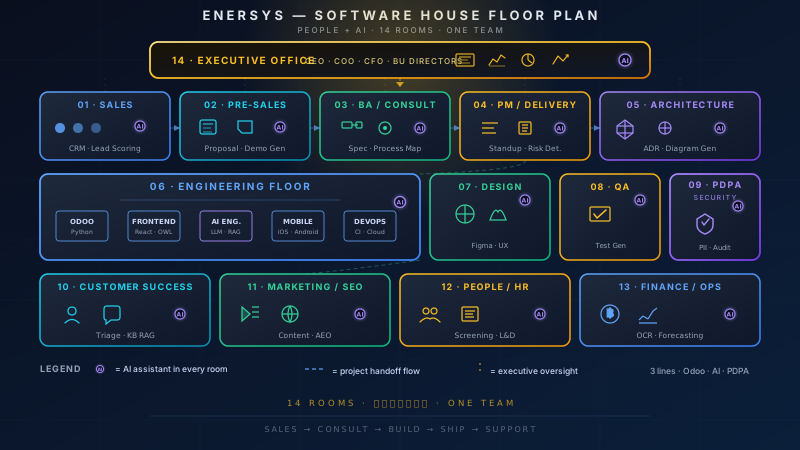
How We Apply This at Enersys
As a Software House working with multiple clients, we see the "legacy system that can't keep up but can't be thrown away" problem regularly.
Strangler Fig with Odoo ERP:
Many organizations have multiple disconnected legacy systems — one for accounting, another for HR, another for inventory, plus piles of spreadsheets. Data is scattered. Nothing syncs.
Our approach uses the same Strangler Fig principles: we don't shut down all systems at once. We gradually move one module at a time to Odoo ERP as the central platform.
Start with the most critical module. Keep old systems running in parallel. Customers continue working as usual. Gradually route workflows to the new system. Once that module is stable, move to the next one.
AI Agents as the Facade:
In some projects, we use AI agents as the "facade" that routes work between old and new systems. The agent receives a request, decides which system should handle it, sends it there, and returns the result — customers don't even know there are multiple systems working behind the scenes.
PDPA Considerations:
Something many people overlook during system migration is data privacy.
- Where is personal data? — During migration, data may exist in both old and new systems. Both must comply with PDPA.
- Data retention — The old system being decommissioned might contain data that must be retained for compliance. Plan how to archive it.
- Consent management — If the new system uses data for different purposes than the old one, you may need fresh consent from customers.
- Data sovereignty — Data must reside in the correct jurisdiction. If migrating to cloud, verify server locations.
Migration isn't just a technical challenge — it's a business, legal, and people challenge too.
Conclusion
The Strangler Fig Pattern isn't just "a way to migrate systems" — it's a philosophy that says good change doesn't have to be revolution. It can be evolution.
What all the case studies share:
- Start from a real problem, not hype — Every company had a clear pain point (latency, CPU, memory, cost) before deciding to migrate.
- Measure before you act — Every team had baseline metrics and compared results after migration.
- Choose the right scope — Nobody rewrote entire systems. Every team picked the modules or functions with the highest ROI.
- Execute gradually — Move slowly, learn, adjust, expand.
- Measurable ROI — Results weren't vaguely "better" — they were numbers: 10x latency, 70% CPU, $1M savings.
For organizations facing a "legacy system you want to get rid of" — ask yourself these questions first:
- What's the actual pain point? (Latency? Cost? Scalability? Security?)
- Can you measure it? (Baseline metrics)
- Which part of the system is the bottleneck? (Profile first)
- Can you put a facade/proxy in front of it? (Interceptability)
- Is there a self-contained module you can start with? (First target)
If you can answer these questions, you're ready to start your own Strangler Fig.
Don't rewrite everything. Grow around the old system. And one day, it'll disappear on its own — just like a tree in the rainforest wrapped by a Strangler Fig.
Sources