The Problem: “We Didn’t Even Know Where the Data Was”
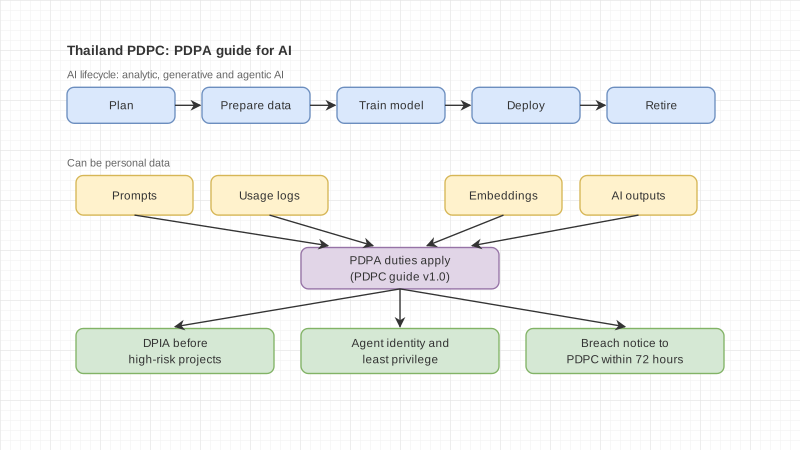
Toward the end of 2025, Thailand’s PDPC began enforcing the PDPA more seriously, issuing total fines of more than THB 21.5 million within a single year. That news immediately caught the attention of the executive board at one of our clients.
This organization had more than 500,000 personal data records spread across 12 systems — HR, CRM, marketing automation, finance, ERP, helpdesk, and more. When we first assessed the situation, this is what we found:
- A manual PDPA audit required 3 people working for 2 weeks per quarter — a total of 6 man-weeks per year
- We found that 23% of records had no valid consent (some consents had expired, while others had never been collected)
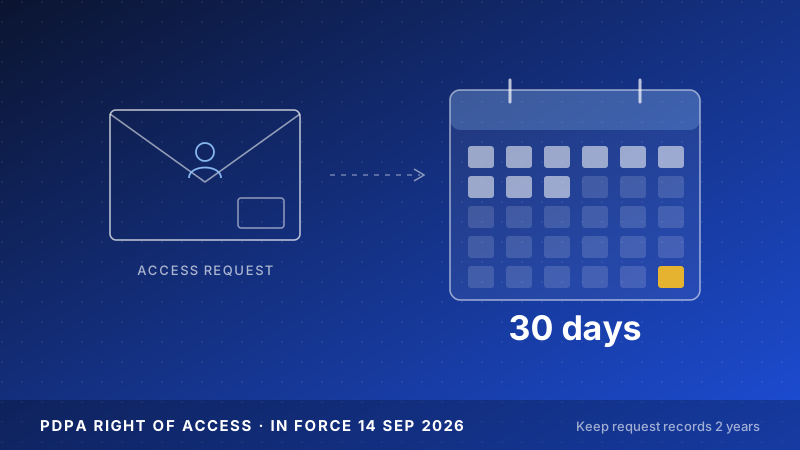
- DSR (Data Subject Request) responses took an average of 12 days — legally allowed within 30 days, but still far too slow for a good customer experience
- There was no breach detection system — one data leak incident went unnoticed for 45 days
- Risk exposure: fines of up to THB 5 million per case, plus reputational damage that is impossible to quantify
The most alarming reality was this: the team could not answer a basic question such as, “Which systems contain Mr. A’s data?” without manually searching one system at a time.
The Challenge We Needed to Solve
We sat down with the client’s DPO (Data Protection Officer) and IT team and defined shared targets:
| Goal |
Before Starting |
Target |
| Data Mapping Coverage |
Unknown (never done) |
100% across all systems |
| Consent Valid Rate |
77% |
> 95% |
| DSR Response Time |
12 days |
≤ 3 days |
| Breach Detection Time |
45 days |
≤ 1 hour |
| Audit Prep Time |
2 weeks |
≤ 2 hours |
The hardest part was not simply making the system comply. It was this: “How can we know it remains compliant at all times, not just when an audit happens?”
Design Approach
Three Core Principles
- Automate Everything Auditable — anything that must be auditable should be automated end to end, not dependent on people filling out spreadsheets
- Privacy by Design, Not Privacy by Afterthought — design the data flow correctly from the source, instead of adding a consent banner at the end
- Real-time, Not Quarterly — compliance must be continuous, not something done four times a year and then left to hope
Strategy: 5 Layers
We divided the solution into five working layers:
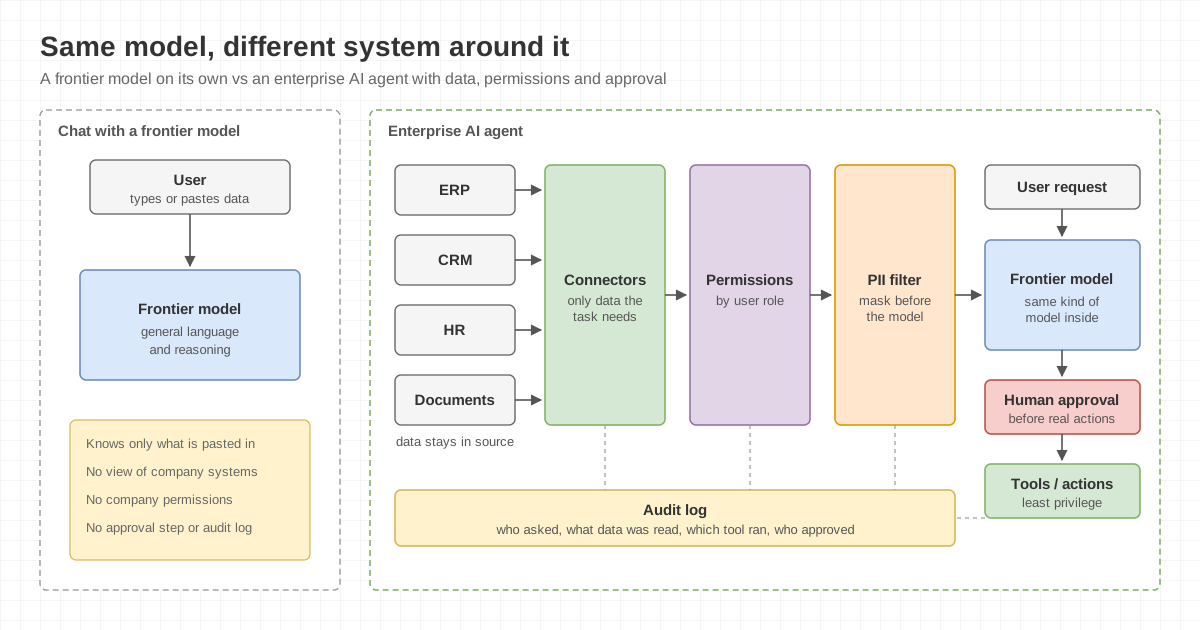
- Data Discovery Layer — automatically scans and classifies personal data across all systems
- Consent Management Layer — tracks real-time consent status for every record
- DSR Automation Layer — handles requests from intake → data search → processing → response in a semi-automated workflow
- Breach Detection Layer — monitors abnormal data access 24/7
- Reporting & Audit Layer — generates compliance reports on demand
Myth-busting
Many organizations assume PDPA is just about having a “website privacy policy + cookie banner” and that’s enough.
In reality, a website privacy policy accounts for only about 5% of compliance. The other 95% is internal data governance that no one sees — for example, whether consent is valid, whether excessive data is being retained, and whether data is actually deleted as promised.
Process
Phase 1: Data Discovery & Classification (Weeks 1–3)
We started with the most critical step — knowing where the data is first.
We built a system that connected to the client’s 12 systems via APIs and database connectors, then ran automated scans to:
- Identify columns/fields containing personal data (name, phone number, email, national ID number)
- Classify data types: general data vs. sensitive data (health information, religion, criminal history)
- Create a visual data map showing how data flows from one system to another
Phase 1 result: we found personal data in 847 fields across 12 systems — nearly double the client’s estimate (they expected only around 450 fields).
Phase 2: Consent Gap Analysis (Weeks 4–6)
Once we knew where the data was, the next step was to verify whether consent was valid.
We cross-referenced:
- All 500,000+ personal data records
- Consent logs from multiple systems
- Defined retention policies
| Consent Status |
Number of Records |
Share |
| Valid Consent |
385,000 |
77% |
| Expired Consent |
52,500 |
10.5% |
| No Consent Record |
47,500 |
9.5% |
| Consent Scope Mismatch |
15,000 |
3% |
A total of 115,000 records (23%) had issues that needed remediation — some required renewed consent, while others had to be deleted.
Phase 3: DSR Automation Pipeline (Weeks 7–9)
Previously, when someone exercised their PDPA rights (such as requesting access, deletion, or correction), the team had to:
- Receive the request by email → triage it manually
- Search each system one by one (12 systems) to find the person’s data
- Compile the data → review it → take action
- Reply by email
The full process took an average of 12 days, and during busy periods it could stretch to 20 days.
We built a DSR pipeline that:
- Accepts requests via web form → automatically verifies identity
- Queries all systems simultaneously with parallel search
- Automatically builds a data package showing exactly which systems hold the data
- Enables DPO review → approval → action + automated response
Phase 4: Real-time Monitoring & Breach Detection (Weeks 10–12)
The final layer was a 24/7 anomaly detection system:
- Unusual Access Pattern — if someone extracts an abnormal volume of data (for example, exporting 10,000+ records at once), the system alerts immediately
- Permission Change Detection — if database permissions or API keys are changed, the system sends an alert
- Data Flow Anomaly — if data is sent to a new destination not previously shown in the data map, the system flags it immediately
- Automated Severity Classification — automatically assigns severity levels so the team knows whether to escalate immediately or simply monitor
Results, Including the Failed Round
Round 1: Failed — Auto-classification Was Not Accurate Enough
After Phase 1, we ran the first round of auto-classification. The results were:
| Metric |
Round 1 Result |
Target |
| Classification Accuracy (Overall) |
78% |
> 95% |
| Sensitive Data Detection Rate |
62% |
> 99% |
| False Positive Rate |
18% |
< 5% |
The main issue: the system misclassified health data as general data — which is highly risky under PDPA because sensitive data is subject to stricter requirements, such as explicit consent and additional security controls.
If left unresolved, the organization might believe it was compliant when in fact more than 3,200 sensitive-data records were not protected as required by law.
What We Did to Fix It
- Added domain-specific rules for the Thai context (such as 13-digit national ID patterns and ICD-10 codes for medical data)
- Added a human-in-the-loop process for sensitive data — the system performs initial classification, but a person must review and confirm it every time
- Built a confidence score — if the system’s confidence falls below a threshold, the case is escalated for human review instead of passing through automatically
Round 2: Passed
| Metric |
Round 1 |
Round 2 |
Target |
| Classification Accuracy |
78% |
96.2% |
> 95% |
| Sensitive Data Detection Rate |
62% |
99.4% |
> 99% |
| False Positive Rate |
18% |
3.8% |
< 5% |
Overall Results: Before vs. After
| Metric |
Before |
After |
Change |
| Data Mapping Coverage |
Unknown |
100% (847 fields, 12 systems) |
0 → 100% |
| Consent Valid Rate |
77% |
96.8% |
+19.8% |
| DSR Response Time |
12 days |
18 hours |
Reduced by 93.75% |
| Breach Detection Time |
45 days |
8 minutes |
Reduced by 99.99% |
| Audit Prep Time |
2 weeks |
47 minutes |
Reduced by 99.5% |
| Records with Issues |
115,000 |
16,000 (pending re-consent) |
Reduced by 86% |
Cost Analysis
The question the executive board always asks is: “Is it worth it?”
| Item |
Annual Cost |
| Compliance Automation System |
~THB 1.8 million (including license, infrastructure, maintenance) |
| Manual Compliance Team (3 FTE) |
~THB 2.7 million (salary + benefits + training) |
| PDPA Fine (if fined in 1 case) |
THB 1–5 million |
| Reputational Damage (estimated) |
THB 10–50 million |
In simple terms:
- The automation system costs about THB 900,000 less per year than a manual team
- It also performs better — broader coverage, faster response, and 24/7 auditability
- And that does not even account for the fact that a single fine could exceed the cost of the entire system for a year
- First-year ROI: approximately 150% (compared with manual operating costs plus reduced risk exposure)
Five Key Lessons
1. If You Can Do Only One Thing, Start with Data Mapping
“Knowing where the data is accounts for 80% of compliance.”
Before thinking about consent management or breach detection, you need to map where personal data exists so nothing is missed.
2. Do Not Trust Auto-classification 100% for Sensitive Data
Our failed first round taught us that misclassifying sensitive data is far more dangerous than misclassifying general data. There should always be a human-in-the-loop process.
3. PDPA Is Not an IT Project — It’s a Business Project
DPO, legal, HR, and marketing all need to be involved from the start. This cannot be handed off to IT and signed off at the end, because business owners — not developers — understand how data is actually used.
4. Consent Is Not Just a Checkbox
“Consent” does not simply mean “ticking a box on a webpage.” Consent must have a clearly stated purpose, evidence that the data subject was properly informed, and an easy way to revoke it. Many organizations do have consent — but not consent that is legally valid.
5. Good Breach Detection Is More Than Just a Firewall
Most data leaks do not come from external hackers. They come from internal issues — sending an Excel file to the wrong recipient, forgetting to mask data before export, or incorrect permissions. The system must monitor internal data access behavior as well.
Areas Still Needing Improvement
We are not claiming everything is perfect — there are still several areas to improve:
- Cross-border Data Transfer Automation — the client works with 4 overseas vendors that require cross-border data transfer. Assessments are still done manually and need to be automated
- AI-powered Consent Preference Prediction — predicting which user groups are likely to withdraw consent so the team can prepare mitigation plans in advance (for example, offering narrower data collection options instead of a full withdrawal)
- Legacy System Integration — there are still 3 legacy systems without APIs, requiring additional adapters, and each system has a different data structure
- Automated DPIA (Data Protection Impact Assessment) — DPIAs are still performed manually; we want the system to provide pre-assessment support before any data flow changes are made
If Your Organization Is Facing Similar Challenges
Every organization has a different context — number of systems, type of data, and level of data governance maturity all vary. What worked for this client may not be the exact answer for every organization.
But if you feel that “we still can’t answer where our personal data is” or “our team is still managing compliance in spreadsheets,” we would be happy to share our experience. You do not need to start with a large project. Sometimes a single one-hour discussion is enough to clarify where to begin.
Talk to the Enersys team
Sources