Whenever a system crashes in the middle of a late-night sales campaign, or an API becomes so slow that customers abandon the journey, the IT team is always asked the same question — "Why wasn’t this tested beforehand?"
The problem is not that no testing was done. The problem is incomplete testing. Apache JMeter is one of the most powerful open-source performance testing tools available, yet most organizations use only 10–20% of its true potential.
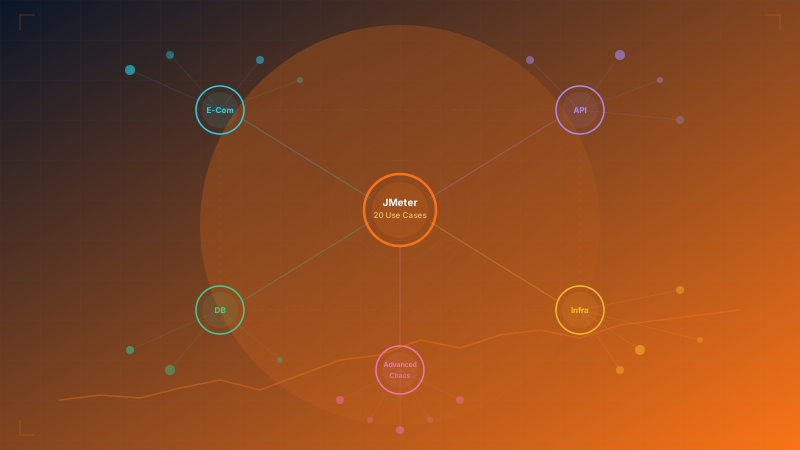
This article brings together 20 real-world scenarios where we use JMeter in enterprise projects — from e-commerce to chaos engineering — along with the metrics that matter and the business impact you can clearly see.
Part 1: E-Commerce Use Cases
E-commerce is a battlefield where performance translates directly into revenue — every additional 1 second of delay can reduce conversion rate by 7%.
Use Case 1: Flash Sale Simulation — 50,000 users clicking at once
Business problem: Flash sales are often the highest-revenue moments — and also the highest-risk. A system designed for normal traffic of 2,000 users per minute may suddenly face 50,000 users in the first second of the campaign. Many organizations lose millions in revenue because product pages fail to load during peak demand.
What we measure:
- Response Time p95/p99 — should stay under 3 seconds even at peak
- Throughput — the actual number of requests per second the system can handle
- Error Rate — should remain below 0.1%
- Time to First Byte (TTFB) — measures how quickly the first response is returned
What we often discover: Systems usually break at unexpected points — not the web server, but session management or the cache layer that cannot handle concurrent connections. One organization found that changing just one caching strategy increased supported traffic by 8x.
Business Impact: Reduced the risk of website outages during campaigns from 40% to 0%, translating into tens of millions in preserved revenue per event.
Use Case 2: Cart & Checkout Flow — testing multi-step transactions
Business problem: Cart abandonment rates in Thailand are around 70–80%, and one of the main causes is slow or frozen checkout. From adding products and entering shipping details to selecting payment, confirming OTP, and completing the purchase — every step must remain smooth even when thousands of users buy at the same time.
What we measure:
- End-to-End Transaction Time — time from clicking buy to receiving confirmation
- Step-by-Step Latency — each step measured separately to identify bottlenecks
- Payment Gateway Response — response time when connecting to external payment systems
- Transaction Success Rate — the success rate of all transactions
What we often discover: The bottleneck is often the external payment gateway, not internal systems. Testing reveals how timeout and retry strategies should be designed for real conditions.
Business Impact: Reduced technically caused cart abandonment by 35%, significantly improving conversion rate.
Use Case 3: Search & Filter Performance — complex queries under heavy load
Business problem: Product search is the core of e-commerce. But when 5,000 users search simultaneously using multiple filter layers (price, brand, reviews, color, size), the search engine may slow from 200ms to 8 seconds.
What we measure:
- Search Latency — time from search submission to results display
- Filter Combination Response — tests complex combinations of filters simultaneously
- Result Accuracy — whether results remain correct under heavy load
- Autocomplete Speed — the speed of suggestions while typing
What we often discover: The problem often lies in a search index that was not optimized for concurrent queries. This insight helps teams improve indexing strategy and reduce search time from 5 seconds to 300ms.
Business Impact: Every 100ms improvement in search speed can increase purchase likelihood by 1.2% — worth millions in additional monthly revenue for a mid-sized e-commerce business.
Use Case 4: Inventory Concurrency — race conditions for limited-stock products
Business problem: A limited-edition item has 100 units, but 10,000 users try to buy it at the same time. If concurrency is not handled correctly, the system may oversell inventory, causing financial loss and brand damage.
What we measure:
- Overselling Rate — whether sales exceed actual available stock
- Lock Contention — how much resource locking affects performance
- Fairness Distribution — whether users who clicked first actually get the item first
- Error Handling Quality — whether "out of stock" messages are displayed correctly
What we often discover: Systems using optimistic locking may fail under extreme concurrency. More advanced strategies may be required, such as queue-based approaches or distributed locking.
Business Impact: Prevented overselling incidents that previously occurred 2–3 times per year, with each incident costing 500,000–2,000,000 THB in customer compensation.
Part 2: API & Microservices Use Cases
In an era where systems are split across dozens of microservices, performance testing must evaluate the full chain — not just individual components.
Use Case 5: API Gateway Stress Testing — rate limiting, circuit breakers, throttling
Business problem: The API Gateway is the front door to every service. If it fails, everything fails. Testing must prove that rate limiting works correctly, circuit breakers open when downstream services fail, and throttling does not block legitimate users.
What we measure:
- Rate Limit Accuracy — whether traffic is restricted exactly as configured
- Circuit Breaker Trigger Time — time from initial failure to circuit opening
- Recovery Time — time for the system to return to normal after circuit breaker reset
- Legitimate Traffic Impact — how much normal users are affected by throttling
What we often discover: A rate limit configured for 1,000 req/s may actually allow 1,800 req/s during bursts because counters do not reset in sync, overwhelming downstream services.
Business Impact: Prevented cascading failures that previously caused a full-system outage lasting 4 hours and approximately 12 million THB in lost revenue.
Use Case 6: Microservices Chain Testing — latency across 5–10 services
Business problem: A single user request may pass through 5–10 services. If each service takes 100ms, total latency already exceeds 1 second. Under high load, that latency multiplies until the system becomes unusably slow.
What we measure:
- End-to-End Latency — total time from the first request to the final response
- Per-Service Latency Breakdown — latency measured separately for each service
- Fan-out Impact — the effect when one service calls several other services at once
- Timeout Cascade — whether one slow service causes timeouts throughout the chain
What we often discover: The bottleneck is not necessarily the slowest service, but the one called most frequently (high fan-in). Adding resources there can improve performance across the entire chain by 40–60%.
Business Impact: Reduced average response time from 2.5 seconds to 800ms, resulting in a 25% increase in user engagement.
Use Case 7: GraphQL Performance — nested queries under heavy load
Business problem: GraphQL gives clients flexibility in how they query data, but queries nested 5–6 levels deep can generate hundreds of database queries behind the scenes (the N+1 problem). When 1,000 users submit complex queries at the same time, the system can fail unexpectedly.
What we measure:
- Query Complexity Score — the level of query complexity that starts to slow the system
- Database Query Count — how many DB queries are triggered by a single GraphQL query
- Memory Usage — GraphQL resolvers can consume large amounts of memory
- Depth Limit Effectiveness — whether query depth limits actually provide protection
What we often discover: A seemingly simple query such as "fetch products with reviews and reviewer details" can generate 500+ database queries under load. Applying the DataLoader pattern can reduce that to just 3 queries.
Business Impact: Reduced server cost by 60% without adding hardware, by fixing the root cause through query optimization.
Use Case 8: WebSocket Real-Time — chat, live dashboards, notifications
Business problem: Real-time systems such as chat, live dashboards, and notifications must keep connections open continuously. With 10,000 concurrent connections, the server must manage memory, file descriptors, and message broadcasting all at once.
What we measure:
- Connection Establishment Time — time required to open a WebSocket connection
- Message Delivery Latency — time from sending a message to recipient delivery
- Concurrent Connection Limit — the maximum number of connections before issues begin
- Reconnection Storm — how many clients reconnect simultaneously after a server restart
What we often discover: A system that supports 5,000 WebSocket connections in a standard test may only support 2,000 when broadcasting messages every 500ms, due to memory pressure from outgoing message queues.
Business Impact: A live dashboard with latency below 200ms enables operations teams to respond to incidents 3x faster.
Part 3: Database Use Cases
The database is the heart of every system — if it slows down or fails, everything stops.
Use Case 9: Connection Pool Exhaustion — finding the limit before the system collapses
Business problem: Every system has a connection pool for database access. When connections run out, all new requests must wait — and if they wait too long, they time out. Knowing where the system breaks enables accurate capacity planning.
What we measure:
- Max Connections Before Failure — the maximum number of connections before the system starts rejecting requests
- Connection Wait Time — average time spent waiting for a connection from the pool
- Connection Leak Detection — whether connections are not being returned to the pool
- Pool Recovery Time — time required to recover after pool exhaustion
What we often discover: Connection leaks occurring only on error paths — for example, when a query fails and the connection is not closed — may not appear in normal testing. But under high load with a 2–3% error rate, the leak accumulates and can exhaust the pool within 30 minutes.
Business Impact: Prevented outages that used to occur every 2–3 weeks during peak hours, reducing downtime from 45 minutes per incident to zero.
Use Case 10: Query Performance Under Load — slow queries with concurrent users
Business problem: A query that takes 50ms when tested alone may take 15 seconds when 500 users run the same query simultaneously, due to lock contention, buffer pool pressure, and I/O bottlenecks.
What we measure:
- Query Time Distribution — not just averages, but p50, p90, and p99
- Lock Wait Time — how long queries spend waiting for locks
- Buffer Pool Hit Rate — how often data is served from memory instead of disk
- I/O Wait — how long the CPU waits for disk reads and writes
What we often discover: A report query running hourly in the background may compete with transactional queries for resources, causing response times to spike by 10x. Moving reporting to a read replica often resolves the issue immediately.
Business Impact: An ERP system that used to slow down every afternoon at 3 PM returned to normal responsiveness, reducing employee waiting time from 45 minutes per day to 5 minutes.
Use Case 11: Data Migration Validation — verifying performance after schema changes
Business problem: Database migrations, schema changes, or version upgrades can affect performance without anyone noticing. Indexes that worked well before may no longer fit the new schema.
What we measure:
- Before/After Comparison — compare performance before and after migration
- Index Effectiveness — whether existing indexes still work well with the new schema
- Data Volume Impact — how performance changes when data grows 2x, 5x, or 10x
- Rollback Readiness — how quickly rollback can be executed if performance worsens
What we often discover: A migration may look correct in every respect, yet some queries become 50x slower because an index was accidentally dropped during migration. Without testing before deployment, the problem is only discovered after user complaints.
Business Impact: Prevented post-migration slowdowns that had happened 3 times in the previous year, each disrupting work for 2–3 days.
Part 4: Infrastructure Use Cases
Strong infrastructure is the foundation of every system — testing must prove that it behaves as designed.
Use Case 12: Autoscaling Validation — proving HPA scales correctly
Business problem: Kubernetes Horizontal Pod Autoscaler (HPA) may be configured to add pods when CPU exceeds 70%, but has anyone verified that it actually works? And does it scale fast enough before users begin to notice slowdown?
What we measure:
- Scale-Up Time — time from trigger to a new pod being ready to receive traffic
- Scale-Down Behavior — whether the system reduces pods gracefully or drops connections
- Resource Utilization — whether CPU and memory are used efficiently
- Cost Efficiency — how much cost increases as the system scales
What we often discover: HPA may take 2–4 minutes to scale up, while traffic spikes happen within 30 seconds. This creates a poor user experience during the initial surge. Adjusting warm pool strategy can significantly improve responsiveness.
Business Impact: Reduced cloud cost by 30% through more efficient scaling, while also improving traffic handling.
Use Case 13: CDN Cache Efficiency — testing cache hit ratio under traffic spikes
Business problem: A CDN improves performance only when cache hit ratio is high. But when traffic spikes hit new content that has not yet been cached, every request returns to the origin server, causing a cache stampede.
What we measure:
- Cache Hit Ratio — the percentage of requests served directly by the CDN
- Origin Load — the number of requests falling back to the origin server
- Cache Warm-Up Time — how long it takes for cache to become fully effective
- Geographic Distribution — how much performance varies by region
What we often discover: A reported 95% cache hit ratio may be an aggregate average, while for dynamic content it may be as low as 20%, placing far more load on the origin than expected.
Business Impact: Increased cache hit ratio from 75% to 92%, reduced origin server load by 68%, and lowered bandwidth cost by 40%.
Use Case 14: Load Balancer Distribution — validating traffic distribution
Business problem: A load balancer configured for round robin should distribute traffic evenly. In reality, sticky sessions, health check timing, and connection reuse may cause some pods to receive 3–5x more traffic than others.
What we measure:
- Traffic Distribution — the percentage of traffic each pod receives
- Session Affinity Impact — how much sticky sessions distort distribution
- Health Check Response — how quickly unhealthy pods are removed
- Connection Draining — how existing connections are handled when a pod is removed
What we often discover: One out of four pods may receive 45% of traffic because sticky session TTL is set too high, causing that pod to experience 2x higher latency than the others.
Business Impact: More even load distribution reduced p99 latency by 40% without adding servers.
Use Case 15: Disaster Recovery Testing — testing failover under load
Business problem: A DR plan that has never been tested under realistic load is just documentation, not a plan. When a primary data center fails, failover must be able to absorb 100% of traffic immediately.
What we measure:
- Failover Time — time from primary failure to secondary taking over traffic
- Data Consistency — whether data on the secondary matches the primary
- Performance Degradation — how much performance declines after failover
- Failback Smoothness — whether returning to the primary is smooth
What we often discover: Failover tested without load may complete in 30 seconds, but with 10,000 active connections it can take 5 minutes due to DNS propagation and connection re-establishment.
Business Impact: Reduced Recovery Time Objective (RTO) from 30 minutes to 3 minutes, meeting the SLA committed to customers.
Part 5: Advanced Scenarios
For organizations looking to elevate performance testing from an occasional activity to something embedded in the culture.
Use Case 16: Distributed Load Generation — 100K+ concurrent users from multiple regions
Business problem: A single machine can typically generate only around 5,000–10,000 concurrent users. To test 100,000+, dozens of machines across multiple regions are needed to simulate real-world conditions.
What we measure:
- Aggregate Throughput — total throughput across all load generators
- Regional Latency Variance — how much latency differs by region
- Coordinator Overhead — how many resources the controller consumes
- Result Accuracy — whether distributed test results are reliable and trustworthy
What we often discover: Users in Southeast Asia may see average latency of 120ms, while users in Europe see 380ms. That means a 500ms timeout may be insufficient for international users.
Business Impact: A system that looks healthy when tested from a single region may still lose 15% of international users — resulting in hidden revenue loss.
Use Case 17: Real Browser + API Hybrid — combining protocol-level and browser-level testing
Business problem: Protocol-level performance testing (HTTP requests) is fast and scalable, but it misses browser-side problems such as JavaScript rendering, CSS blocking, and image loading. Browser-based testing, meanwhile, is slower and harder to scale. Combining both provides a complete picture.
What we measure:
- Perceived Load Time — what real users experience versus what the server reports
- Core Web Vitals Under Load — how LCP, FID, and CLS change under heavy server load
- Third-Party Impact — how external scripts (analytics, ads) slow down when the server slows down
- Resource Loading Priority — whether the browser loads critical resources first
What we often discover: Server response time may be 200ms (within SLA), but Largest Contentful Paint may still be 4.2 seconds due to render-blocking JavaScript — something protocol-level testing does not reveal.
Business Impact: Better Core Web Vitals improve Google Search ranking and increase user engagement by 20–35%.
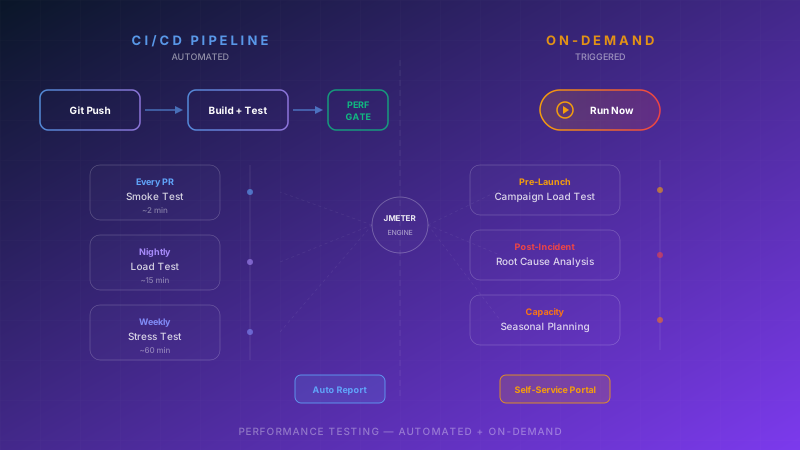
Use Case 18: Continuous Performance Testing — Performance as Code in every sprint
Business problem: Running performance tests only once or twice a year means a performance bug may remain hidden in production for 6 months before being discovered. By integrating performance testing into the CI/CD pipeline, every commit can be checked automatically.
What we measure:
- Performance Budget — every endpoint has a budget (for example, must respond within 500ms), and the build fails immediately if exceeded
- Trend Analysis — whether response time increases gradually sprint by sprint
- Regression Detection — which commit caused performance to degrade
- Test Execution Time — tests must run quickly enough not to slow the pipeline
What we often discover: A 2% performance degradation per sprint may go unnoticed, but over 6 months it accumulates into a 25% slowdown. Early detection preserves the performance baseline continuously.
Business Impact: Reduced time to resolve performance issues from an average of 2 weeks (finding root cause retrospectively) to 2 hours (fixing the latest commit).
Use Case 19: Chaos Engineering Integration — combining JMeter with Chaos Monkey
Business problem: Standard load testing evaluates systems under ideal conditions. In the real world, servers fail, networks slow down, and disks fill up. Combining load testing with chaos engineering simulates the kinds of scenarios nobody wants to face — but everyone should prepare for.
What we measure:
- Resilience Score — how much failure the system can tolerate before impact begins
- Graceful Degradation — whether other components keep functioning when one fails
- Recovery Automation — whether the system can recover without manual intervention
- Blast Radius — how far a single failure spreads across the environment
What we often discover: A system that easily passes a 50,000-concurrent-user load test may still completely collapse when just one cache server fails, because every request falls back to the database at the same time.
Business Impact: Discovered 4 single points of failure that had never been identified in architecture reviews, fixing them before a real incident and preventing an estimated 50+ million THB in annual losses.
Use Case 20: SLA Compliance Testing — proving p99 latency meets the SLA
Business problem: The SLA may specify that p99 latency must stay below 500ms — but has this actually been tested? If the SLA is missed, the business may face financial penalties or, worse, lose customers. SLA testing must be systematic and continuous.
What we measure:
- p99 Latency — 99% of requests must respond within the defined threshold
- Availability — uptime according to SLA (for example, 99.95% = no more than 4.38 hours of downtime per year)
- Error Budget — how much of the monthly error budget has already been consumed
- SLA Breach Prediction — based on current trends, when the SLA is likely to be breached
What we often discover: Average latency may be 200ms (looks good), but p99 may be 2.8 seconds (violating a 500ms SLA) because of intermittent garbage collection pauses. Average values hide the real problem of outliers.
Business Impact: Prevented SLA penalties that could amount to 10–20% of contract value, while protecting customer trust.
Conclusion: The Next Step in Enterprise Performance Testing
The 20 use cases above are not just a reading list — they are practical approaches that leading organizations actually use to prevent issues before they happen.
What separates organizations that merely "test" from those that "test effectively" is this:
- They test realistic scenarios, not just repeated request blasts
- They measure the right metrics — p99 always matters more than average
- They do it continuously, not once a year before go-live
- They connect results to business impact, not just technical numbers
Investing in comprehensive performance testing is not a cost — it is insurance for systems that must run 24/7. And it is the kind of insurance that pays for itself every time it prevents a system outage.
Need experts to plan a performance testing strategy for your organization? The Enersys team has hands-on experience designing and executing enterprise-grade performance testing across every dimension — from e-commerce to microservices. Contact us for a free initial consultation
Sources