TL;DR
Most SME executive dashboards have the same problem — too many numbers, no clear actions.
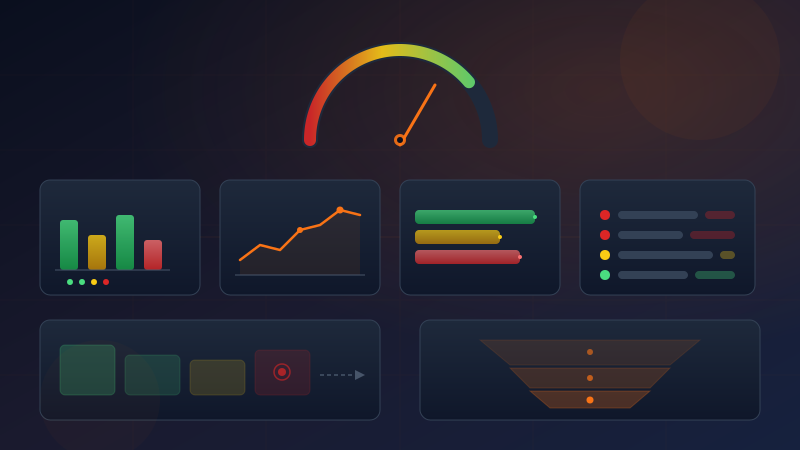
This article shares a framework we use to redesign Executive Dashboards. Instead of organizing by time (daily/weekly/monthly/yearly), we organize by 5 questions every CEO must answer each morning:
- Are we surviving? — Cash on hand, Runway, Health Score
- Is enough money coming in? — Revenue vs last month/last year, Pipeline
- How much profit? — Gross Margin, Net Margin, auto-warning system
- Who owes us? Who do we owe? — AR/AP, Aging, Bills due
- What must I do today? — Action Items with RED/YELLOW/GREEN priority
Plus a Health Score auto-calculated from 5 weighted indicators, distilled into a single number out of 100.
If you've read our previous article on 15 Financial Ratios Every Software House Should Know — this is the sequel: once you know the ratios, how do you arrange them into a dashboard a CEO will actually use?
Introduction: The Morning I Opened a Dashboard and Saw 30 Numbers
I remember it clearly — a Monday morning, I opened our company's dashboard that the team had built.
The screen was packed with graphs, numbers, tables — Revenue, Gross Profit, Net Profit, EBITDA, Current Ratio, Quick Ratio, D/E Ratio, Inventory Turnover, AR Days, AP Days, Revenue per Employee, Customer Acquisition Cost, Churn Rate, MRR, ARR, Burn Rate, Runway, LTV/CAC, Payroll Ratio, OpEx Ratio...
Over 30 metrics in total.
I stared at it for 10 minutes. Then I closed the screen.
Not because the numbers were wrong. Every number was correct.
But because I didn't know what to do.
Revenue up 8% from last month — good or bad? Gross Margin at 47% — should I worry? AR Days at 58 — is that normal?
These numbers didn't talk to me. They just sat there.
And I noticed my behavior changing — from checking daily to weekly to monthly to... never.
The Problem Isn't Too Little Data — It's Data Without Questions
I started noticing that CEOs of many SMEs we work with face the exact same issue. Dashboards designed by IT or accounting teams organize data the way accountants think — by time period, by account type, by financial statement structure.
But CEOs don't think that way.
A CEO walks into the office in the morning with questions in mind — "What should I worry about today?" "Do we have enough cash?" "Who owes us money?"
If a dashboard doesn't answer these questions directly, the CEO stops using it — and goes back to asking the accounting team the old-fashioned way.
This is the moment we decided to redesign dashboards from scratch.
The Principle: Organize by Questions, Not by Time
After studying how SME CEOs interact with dashboards, here's what we found:
- Average time a CEO spends per dashboard session: under 3 minutes
- What they actually want to know: "What do I need to do today?"
- Main reason they stop using it: "I look at it, but I don't know what to do next"
So we set a new principle — organize by CEO questions, not by calendar periods.
| Before |
After |
| Organized by time (daily/weekly/monthly/yearly) |
Organized by CEO questions |
| 30+ KPIs all at once |
5 questions, 12 core numbers |
| Raw numbers |
Numbers + comparison + interpretation + color |
| Look and forget |
Look and know what to do |
Why 5 Questions Beat 30 KPIs
The reason is simple — the human brain has limited processing capacity for context.
Cognitive load research shows people can handle roughly 5-7 pieces of information simultaneously. If you throw 30 numbers at a CEO, the brain shuts down — not because the data is too complex, but because there's no framework for prioritizing.
Five questions serve as a frame — they help the CEO's brain know "what to look at first, what to look at later" and crucially — what to do about it.
Question 1: Are We Surviving? (SURVIVAL)
This is the first question every CEO must answer each morning — is the company going to survive?
It sounds dramatic, but for SMEs that don't have hundreds of millions in cash reserves, this question matters every single day.
Numbers You Must See:
Cash on Hand — e.g., 1.87M THB
This number must be real-time, not last month's financial statement. If the CEO sees a cash figure from 30 days ago, it's useless.
Runway — e.g., 2.1 months
Runway = current cash divided by average monthly expenses — it tells you how many months the company can survive with zero incoming revenue.
We use a traffic light system for Runway:
- RED — Runway less than 3 months → Danger — act immediately
- YELLOW — Runway 3-6 months → Caution — plan ahead
- GREEN — Runway more than 6 months → Safe
Health Score — e.g., 58/100
This number is auto-calculated from 5 weighted indicators (detailed in the Health Score section below), summarizing overall company health in a single figure.
Story: When Runway Dropped to 2.1 Months
One SME we worked with — an IT services company with 15 employees. The CEO said "everything's fine, business is growing."
But when we set up the new dashboard, the first thing that appeared was Runway at 2.1 months — bright red.
The CEO was shocked. "Is that real?"
It was real — because revenue was growing, yes, but expenses were growing faster. AR was piling up. The actual cash remaining in the bank, compared to the burn rate, would last about 2 months.
Without a dashboard showing Runway, this CEO would have continued thinking "everything's fine" for months — until it was too late to fix.
What to Do When the Light Is Red
When Runway turns red, the CEO must do 3 things immediately:
- Accelerate collections — find the oldest overdue AR and chase it first
- Defer non-essential expenses — anything that can wait, should wait
- Consult the finance team — if there's no CFO, sit down with accounting that same day
The CEO shouldn't have to figure this out alone. The dashboard should tell them what to do.
Question 2: Is Enough Money Coming In? (REVENUE)
A CEO doesn't just want to know the revenue figure — they want to know how it compares.
Numbers You Must See:
This Month vs Last Month (MoM Change %)
A raw revenue number is meaningless — "Revenue: 3.2M THB" — is that good or bad? No idea. But "Revenue: 3.2M THB — up 12% from last month" has immediate meaning.
Year-to-Date vs Same Period Last Year (YoY Change %)
MoM shows short-term momentum. YoY shows long-term trend. The CEO needs both. If MoM is up but YoY is down, it means this month improved from last month, but the overall year is still trailing.
Top 3 Clients (Concentration Check)
This is the hidden risk that traditional dashboards never show.
If 60% of revenue comes from a single client — your company is extremely fragile. If that client leaves, you lose more than half your revenue overnight.
The new dashboard must show Top 3 clients with their % of total revenue — if any single client exceeds 30%, a warning signal must appear.
Pipeline Value (Upcoming Deals)
Historical data matters, but forward-looking data matters just as much.
Pipeline shows how much is currently in negotiation. If this month's Revenue looks great but Pipeline is dry — next month might be trouble.
Question 3: How Much Profit? (PROFITABILITY)
High revenue doesn't mean good profit — many SMEs see revenue grow every year while margins quietly erode.
Numbers You Must See:
Gross Margin __%
Gross Margin = (Revenue - COGS) / Revenue × 100
It tells you how much you keep after direct costs. For IT services businesses, this should be 50-70%. Below 40% demands investigation.
Net Margin __%
Net Margin = Net Profit / Revenue × 100
This is the "truth" of the business — after everything is deducted, how much actually remains.
Visual: Revenue vs COGS vs Expense
We use three vertical bars side by side:
- First bar: Revenue (green)
- Second bar: COGS (yellow)
- Third bar: Operating Expense (red)
The CEO sees this single chart and immediately understands where the money goes — no need to read 20 lines of numbers.
Auto-Warning System
This is what makes a dashboard "talk" to the CEO.
The system monitors key ratios and displays warning messages when thresholds are breached. For example:
"Admin expenses at 93% of revenue — too high" (text in red)
When Operating Expense / Revenue exceeds 80%, the system turns the numbers red with a warning message. The CEO doesn't have to calculate it. Doesn't have to remember the threshold. The dashboard tells them.
These kinds of contextual warnings are what make CEOs open the dashboard every morning — because it tells them what they need to know, not just displays numbers.
Question 4: Who Owes Us? Who Do We Owe? (CASH FLOW)
Profit on paper and cash in hand are two different things — SMEs with paper profits but no cash can still go under.
Numbers You Must See:
AR Outstanding __ THB — money clients owe us
AP Outstanding __ THB — money we owe others
These two numbers must appear side by side. If AR is significantly higher than AP, it means cash is stuck outside — that's risk.
Aging Buckets — The "Age" of Debt Matters
It's not enough to know the AR total. You need to know how long it's been outstanding.
| Period |
Status |
Action |
| 0-30 days |
Normal |
No concern |
| 31-60 days |
Getting long |
Should follow up |
| 61-90 days |
Overdue |
Must follow up seriously |
| 90+ days |
Severely overdue |
Alert — may become bad debt |
AR over 90 days must show in red on the dashboard — because the longer it sits, the less likely you'll collect it.
From our experience — AR over 90 days has less than a 70% real collection rate. Over 180 days, it drops below 40%.
Bills Due This Week
This section looks simple but is incredibly powerful.
The dashboard pulls all bills due within the next 7 days and shows the CEO:
- How many bills are due
- Total amount
- Compared to cash on hand — can we pay?
If bills due this week exceed available cash — an immediate warning must appear.
Question 5: What Must I Do Today? (ACTION ITEMS)
This is the final and most important question — after all the data, what do I actually need to do?
Traditional dashboards tell you "what is." A good dashboard tells you "what to do."
RED / YELLOW / GREEN Priority System
RED — Must do today
- 3 invoices past due date → collect immediately
- Cash below threshold → contact bank / accelerate AR collection
YELLOW — Must do this week
- 2 quotations about to expire → follow up with clients
- Major client contract expiring → prepare renewal
GREEN — Proceed as planned
- 5 bills due this week → payable as scheduled
- Pipeline deals in progress → continue tracking
Turning Data Into Decisions
This is the heart of the entire dashboard.
A dashboard is not a tool for "looking" — it's a tool for "doing."
If a CEO opens the dashboard and doesn't know what to do → the dashboard has failed.
If a CEO opens the dashboard and immediately knows they need to call 3 clients, follow up on 2 quotations, and schedule a meeting about cash flow → the dashboard has succeeded.
Health Score: Company Health in a Single Number
The 5 questions give detailed views, but the CEO also needs an overview.
Health Score is a single number summarizing company health — auto-calculated from 5 weighted indicators:
| Indicator |
Threshold |
Weight |
| Cash Runway |
> 3 months |
30% |
| Gross Margin |
> 50% |
20% |
| D/E Ratio |
< 2 |
15% |
| Revenue Growth |
> 0% (YoY) |
20% |
| AR Overdue |
< 10% of total AR |
15% |
| Total |
|
100% |
Three-Level Traffic Light
Each indicator isn't just pass/fail — we use 3 levels:
- GREEN — meets threshold → full points
- YELLOW — within 20% of threshold → half points
- RED — fails threshold → zero points
Calculation Example
Suppose Company A has the following status:
| Indicator |
Actual |
Status |
Score |
| Cash Runway |
4.2 months |
YELLOW (3-6 months) |
15/30 |
| Gross Margin |
55% |
GREEN (> 50%) |
20/20 |
| D/E Ratio |
1.3 |
GREEN (< 2) |
15/15 |
| Revenue Growth |
-5% |
RED (< 0%) |
0/20 |
| AR Overdue |
8% |
GREEN (< 10%) |
15/15 |
| Total |
|
|
65/100 |
Health Score: 65/100
The CEO sees 65 and immediately knows "not terrible, but there are issues to fix." They drill into the details — and find the problem is negative Revenue Growth and Runway that's not comfortable yet.
The Single Number That Changes CEO Behavior
Why does Health Score matter?
Because it changes CEO behavior — from passively looking at numbers to competing with themselves.
"Last month 58, this month 65 — improving." Or "Last month 72, this month 64 — something's wrong."
Health Score acts like the company's "pulse" — the CEO sees one number and knows whether they need to dig deeper.
Above 80 → relax, review only areas of interest
60-79 → some areas need attention, check which indicators are yellow
Below 60 → serious review needed, may require a team meeting that day
Why Not Excel?
I know many of you are thinking "I could do this in Excel — no need for a fancy system."
I used to think the same way.
Story: The Excel Dashboard Updated Once a Month
One CEO we worked with had accounting create an "Executive Report" in Excel every month.
The problems:
- Stale data — the file arrived around the 15th of the following month (2 weeks late)
- Not interactive — wanting details meant requesting a new file
- Exhausting for staff — accounting spent 2 days per month compiling data from multiple sources
- Error-prone — copy-pasting from multiple sources introduces mistakes
- No warnings — the CEO had to read numbers and judge "good or bad" on their own
On the 15th of the month, the CEO gets last month's data. That means if a problem appeared on the 1st, the CEO learns about it on day 45 — far too late for an SME with 3-6 months of Runway.
Why Real-Time Matters
For an SME with 3-month Runway — every week counts.
If AR over 90 days suddenly spikes, the CEO needs to know that day, not 45 days later.
If expenses blow past budget, the CEO needs to see it immediately, not when the monthly books close.
A dashboard connected to an ERP provides real-time data — every new invoice, every payment made, every payment received, the numbers update instantly.
ERP Is the Foundation
A great dashboard doesn't come from building a pretty screen — it comes from accurate, timely data.
That means you need an ERP that captures everything in one place — sales, purchasing, accounting, inventory, HR — and the dashboard pulls directly from it.
This is why Enersys uses Odoo ERP as the core platform — because Odoo unifies everything in a single system. Data flows into the dashboard without copy-pasting from multiple sources.
No waiting for accounting to compile. No merging 5 Excel files. No worrying about calculation errors.
How We Use This at Enersys
At Enersys, we're a Software House specializing in Odoo ERP, Enterprise AI, and Data Privacy — and we use this exact framework ourselves.
Every Monday Morning Starts With 5 Questions
Our executive team meeting every Monday opens with the dashboard and these 5 questions:
- Are we surviving? — Check Health Score and Runway → green means move on, yellow or red means we discuss
- Is enough money coming in? — Revenue this month vs last month → spot the trend
- How much profit? — Gross Margin and Net Margin → if margins drop, find out why
- Who owes us? — AR aging → if there's anything at 90+ days, assign someone to chase it
- What must we do? — RED items → assign owners
Meetings take no more than 15 minutes — because the dashboard has already digested the data. No time wasted staring at raw numbers.
Connected to Financial Ratios
If you've read our article on 15 Financial Ratios Every Software House Should Know, you'll notice many of those ratios feed directly into the Health Score:
- Current Ratio → part of the Cash Runway assessment
- D/E Ratio → one of the 5 Health Score indicators
- Gross Margin → weighted at 20%
- AR Turnover → connected to AR Overdue
Financial ratios are the "language" of analysis. The Health Score is the "translator" that makes them understandable to a CEO who isn't an accountant — in a single number.
Conclusion
An executive dashboard doesn't need 30 KPIs — it just needs to answer 5 questions:
- Are we surviving? → Cash, Runway, Health Score
- Is enough money coming in? → Revenue MoM/YoY, Top Clients, Pipeline
- How much profit? → Gross/Net Margin, auto-warning system
- Who owes us? Who do we owe? → AR/AP, Aging Buckets, Bills Due
- What must I do today? → RED/YELLOW/GREEN Action Items
Plus a Health Score that distills everything into a single number.
The principle is organize by questions, not by time — and every number must have context, comparison, interpretation, and a clear action.
If you're an SME CEO looking for a way to turn financial data into a real decision-making tool — not just reports sitting in a drawer — this framework is your starting point.
And if you need an ERP system that unifies data across all departments and builds this kind of dashboard automatically — that's exactly what the Enersys team does.
Sources