The Problem: "The Website Crashes Every Time We Launch a Campaign"
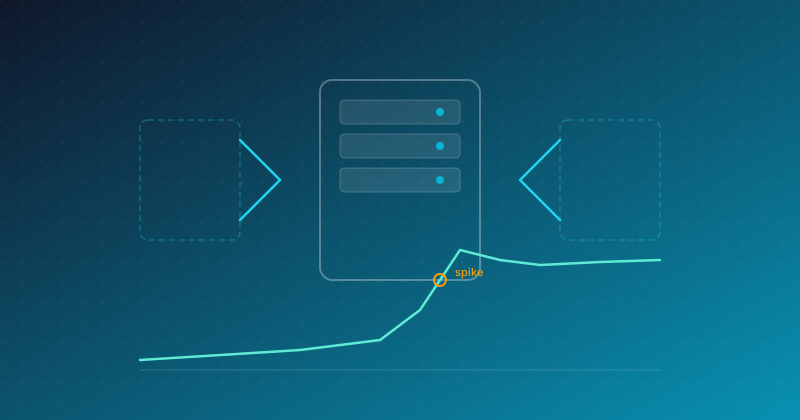
A client came to us with a problem that's painfully familiar to many engineering teams — their web application would crash every time marketing ran a campaign. On normal days, the system handled traffic comfortably. But when traffic surged 10–50x within five minutes, the servers buckled.
The pattern repeated like clockwork:
- Response times jumped from 200ms to 15 seconds
- Error rates blew past 40% within the first three minutes
- Marketing had already spent the ad budget — but customers couldn't even load the page
- The DevOps team would scramble to manually scale servers, a process that took 20–30 minutes
The cost: Each 30-minute outage resulted in an estimated ฿500,000–2,000,000 (~$14,000–$57,000) in lost revenue, depending on campaign size.
Defining Success
We aligned with the client on crystal-clear targets:
| Objective |
Target |
| Concurrent Users |
10,000 simultaneous |
| Response Time (P95) |
≤ 500ms |
| Error Rate |
< 0.1% |
| Scale-up Time |
≤ 2 minutes (trigger to ready) |
| Scale-down Time |
≤ 10 minutes (after traffic drops) |
| Zero Downtime |
No downtime during scaling events |
The hardest part wasn't "making it scale." It was proving it could scale — before the real campaign went live.
Architecture Principles
Scale Horizontally, Fail Gracefully
We designed the architecture around three core principles:
- Stateless Application — Every instance must function independently with no internal state, enabling instant horizontal scaling
- Metric-driven Scaling — Decisions based on real signals, not just CPU utilization — including request queue depth and response time
- Graceful Degradation — If the system truly can't keep up, it degrades in a controlled manner rather than collapsing entirely
Multi-layer Scaling Strategy
We didn't just scale the application servers. Every layer was designed to scale independently:
- Load Balancer Layer — Traffic distribution and health checking
- Application Layer — Scales based on request rate and response time
- Cache Layer — Absorbs read-heavy traffic so not every request hits the database
- Database Layer — Read replicas for queries that don't require 100% real-time data
- Queue Layer — Offloads non-urgent work (emails, analytics updates) to asynchronous processing
Scaling Triggers: Beyond CPU
Many organizations set autoscaling to trigger at CPU > 70% — sounds reasonable, but in practice it's far too slow. By the time CPU hits 70%, users are already experiencing timeouts.
We used Composite Metrics that combine multiple signals:
- Request Rate — Requests per second (a leading indicator)
- Response Time P95 — If it starts climbing, the system is about to struggle
- Active Connections — Number of connections waiting for a response
- Queue Depth — Number of tasks waiting in queue
When these signals cross their thresholds simultaneously, the system scales up immediately — without waiting for CPU to overheat.
Predictive Scaling: Knowing Before the Spike Arrives
For campaigns with known schedules, we added Scheduled Scaling — the system pre-warms instances 15 minutes before a campaign goes live. No waiting for traffic to arrive before reacting.
Performance Testing: Proving It Before Launch Day
This is the part we care about most — if you don't test properly, you're gambling.
Test Strategy: Four Layers
We designed testing in four progressive layers, each with a distinct purpose:
1. Baseline Test — Know Your Starting Point
Test at normal traffic levels (500 concurrent users) to establish baseline performance. If the baseline is poor, scaling won't help — you'll just have more slow instances.
2. Load Test — Test the Target
Gradually ramp from 500 to 10,000 concurrent users over 20 minutes to observe:
- How quickly does the autoscaler respond?
- How fast are new instances ready to serve traffic?
- Do errors occur during scaling transitions?
3. Spike Test — Simulate Reality
This is the most critical test. Simulate traffic jumping from 500 to 8,000 within 60 seconds — mimicking a real campaign launch. The key questions:
- Can the system survive the first 60–120 seconds before new instances are ready?
- Are any requests timing out while waiting for scale-up?
4. Soak Test — Test Endurance
Run 10,000 users continuously for 4 hours to detect:
- Memory leaks
- Connection pool exhaustion
- Database connections not being returned
- Cache invalidation behaving unexpectedly
Designing Realistic Test Scenarios
A common mistake in load testing is hammering a single endpoint repeatedly — the result is a 99% cache hit rate and beautiful numbers that mean nothing in production.
We designed test scenarios that mirror actual user behavior:
| Behavior |
Proportion |
| Home → Browse products → Leave |
45% |
| Home → Search → View product → Add to cart |
30% |
| Home → Search → View product → Purchase → Payment |
15% |
| Home → Login → View order history |
10% |
Each scenario includes Think Time (the pause while a user reads a page before clicking) randomized between 2–8 seconds, closely mimicking real behavior.
Results
Baseline Test (500 Users)
| Metric |
Before Optimization |
After Optimization |
| Response Time (P50) |
180ms |
95ms |
| Response Time (P95) |
450ms |
210ms |
| Response Time (P99) |
1,200ms |
380ms |
| Throughput |
2,800 req/s |
4,200 req/s |
| Error Rate |
0.02% |
0.01% |
Just by optimizing the baseline (query tuning, cache strategy, payload reduction), we achieved a 2x performance improvement — without adding a single instance.
Load Test (500 → 10,000 Users, 20 Minutes)
| Metric |
Target |
Actual |
| Concurrent Users |
10,000 |
10,000 ✅ |
| Response Time (P95) |
≤ 500ms |
320ms ✅ |
| Error Rate |
< 0.1% |
0.03% ✅ |
| Scale-up Time |
≤ 2 min |
90 seconds ✅ |
| Instances (Min → Max) |
3 → ? |
3 → 12 |
| Throughput (Peak) |
— |
18,400 req/s |
Spike Test (500 → 8,000 Users, 60 Seconds)
This was the test we worried about most — and the results taught us several valuable lessons.
Round 1: Failed
- First 30 seconds: response time spiked to 2,800ms
- Error rate during spike: 3.2%
- Root cause: New instances needed 45 seconds of warm-up before serving traffic
What We Changed:
- Added Connection Pre-warming — New instances prepare their connection pools before accepting traffic
- Increased Minimum Instances from 3 to 5 during time windows with likely spike patterns
- Implemented Request Buffering at the load balancer — hold requests briefly rather than rejecting them immediately when backends aren't ready
- Tuned the Circuit Breaker — when a service exceeds its response time threshold, serve a cached response instead
Round 2: Passed
| Metric |
Round 1 |
Round 2 |
| Response Time (P95) during Spike |
2,800ms |
480ms ✅ |
| Error Rate during Spike |
3.2% |
0.08% ✅ |
| Time to Stabilize |
3 minutes |
90 seconds ✅ |
Soak Test (10,000 Users, 4 Hours)
| Metric |
Hour 1 |
Hour 4 |
| Response Time (P95) |
310ms |
340ms |
| Memory Usage |
62% |
68% |
| Error Rate |
0.02% |
0.03% |
| Active Instances |
12 |
12 |
No memory leaks detected — memory increased slightly as cache size grew, but remained within acceptable bounds.
Cost Analysis: How Expensive Is Autoscaling?
The question every client asks: "Won't autoscaling blow up our cloud bill?"
| Scenario |
Instances |
Cost/Hour |
Notes |
| Normal (500 Users) |
3 |
฿150 ($4.30) |
Baseline |
| Small Campaign (3,000 Users) |
6 |
฿300 ($8.60) |
2x scale |
| Large Campaign (10,000 Users) |
12 |
฿600 ($17.10) |
4x scale |
| Post-Campaign (Scale-down) |
3 |
฿150 ($4.30) |
Returns to baseline in 10 min |
Compared to the ฿500K–2M lost per 30-minute outage, the additional ฿450/hour (~$13) during peak traffic is a remarkably good trade.
Critically, the system scales down too — during low-traffic periods, you're not paying for idle instances.
Lessons Learned
1. Optimize Before You Scale
Many organizations jump straight to autoscaling without examining baseline performance. The result: 10 instances all running slowly — 10x the cost, 0x the improvement.
We spent the first two weeks on baseline optimization (query tuning, cache strategy, payload reduction) and achieved a 2x performance gain without adding a single instance.
2. Spike Tests Matter More Than Load Tests
Load tests that gradually increase traffic always produce flattering results because the autoscaler has plenty of time to react. Spike tests — where traffic surges instantaneously — expose vulnerabilities that load tests never reveal.
If you can only run one test, make it a spike test.
3. Warm-up Time Is the Silent Killer
A new instance needs 30–60 seconds after spinning up before it can actually serve traffic. During that window, if existing instances can't handle the load, errors spike before reinforcements arrive.
The fix: Pre-warm connection pools, reduce application boot time, and set minimum instances high enough to absorb the initial wave.
4. Test With Real Scenarios, Not Just Homepage Hits
Load tests that repeatedly hit GET / produce dangerously misleading results because they don't test:
- Database writes (checkout, registration)
- Complex search queries
- Session management under high load
- Third-party API calls (payment gateways, SMS OTP)
5. Set Budget Alerts Alongside Autoscaling
Autoscaling without an upper limit can lead to runaway costs from DDoS attacks or bot traffic. Always configure a maximum instance limit and cost alerts.
What We'd Still Improve
We believe in transparency — here's what we'd do differently or continue working on:
- Multi-region Failover — Currently running in a single region. If that region goes down, everything goes down with it
- Canary Deployment + Autoscale — We haven't tested the scenario where a canary release coincides with a traffic spike
- AI-based Predictive Scaling — Currently using rule-based scaling. In the future, an ML model could predict traffic patterns more accurately
Facing the Same Challenge?
A website that crashes during peak traffic isn't just a technical problem — it's a business problem that translates directly into lost revenue.
What Enersys can help with: assessing how much traffic your current infrastructure can actually handle, identifying bottlenecks, and building a plan to fix them — before your next campaign goes live.
Sources
Talk to Us About Infrastructure & Performance →